This is the print version of this page. All content is copyright Indezine.com 2000-2026.
Thoughts and impressions of happenings in the world of PowerPoint and presentations, continuously updated since 2003.
See Also:
PowerPoint and Presenting Notes
PowerPoint and Presenting Glossary

This is a post authored by Steve Rindsberg, published on the Microsoft site.
If you’ve asked this question and gotten answers like “Just scan your images at 96 dpi,” I’ll have to ask you to push your brain’s Restart button. You need to clear your head of all that dpi stuff because for PowerPoint purposes, it’s wrong, irrelevant, confusing (choose any three).
Steve Rindsberg thinks it’s a piece of cake!
Filed Under:
Thoughts
Tagged as: Images, Pictures, Resolution, Steve Rindsberg
Comments Off on What Resolution Should I Make My Images for Slide Shows?
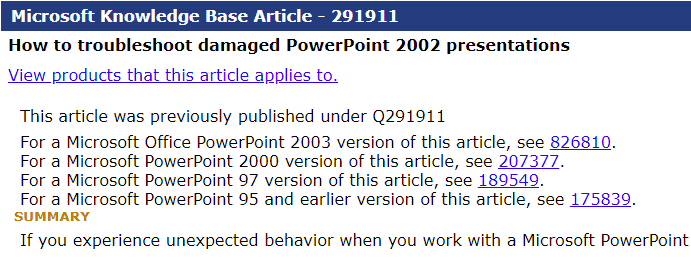
This knowledge base article for troubleshooting damaged PowerPoint 2002 (XP) presentations has been updated on the Microsoft site. The same article has links to similar articles for PowerPoint 2003, 200, 97, and 95 too.
Filed Under:
PowerPoint 2002
Tagged as: PowerPoint 2002, Troubleshooting
Comments Off on How to Troubleshoot Damaged PowerPoint 2002 Presentations
Andrew May from Microsoft explains how PowerPoint 2003 and 2002 use the MCI and Windows Media Player behind the scenes to bring multimedia content within slides.
He mentions:
When PowerPoint needs to play a media file, for example as part of a slide build or when a user clicks on the file, it examines the file to determine which media player application is best suited for playing. Because MCI installs as part of the Windows operating system, if PowerPoint determines that it can play the file using MCI, then it uses MCI. If not, PowerPoint attempts to play the file using Windows Media Player. If the file is not compatible with either player, PowerPoint simply does not play the file. PowerPoint uses the DirectShow technology to gather file information to determine which player is appropriate.

Read this content on the Office Developer Center site.
Filed Under:
PowerPoint 2003
Tagged as: Multimedia, PowerPoint 2002, PowerPoint 2003
Comments Off on How PowerPoint 2003 Plays Multimedia Files in a Presentation
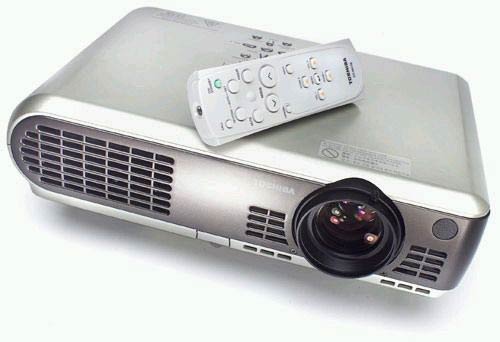
Comments Off on A Bright, No-frills Projector for Computer Presentations
Em C. Pea explores why some people don’t like PowerPoint.
Back when Auntie Em was just a wee sprout in Public School 102, there was a boy named Melvin in the next class. Melvin was the sort of boy that everyone just loved to notice: nerdy, stammering, dressed in oddly colored clothing and with awkward posture. Being children, of course, we picked on him without a second thought. I’ve often wondered what happened to Melvin. These days, I suspect that one of the Microsoft development teams knows just how he felt, because PowerPoint is rapidly becoming the Melvin of Microsoft.

Read more on the Redmond Mag site.
Filed Under:
Miscellaneous
Tagged as: Death by PowerPoint, Edward Tufte
Comments Off on How PowerPoint Is Like Melvin
Microsoft and the Office logo are trademarks or registered trademarks of Microsoft Corporation in the United States and/or other countries.