
This is the print version of this page. All content is copyright Indezine.com 2000-2026.
Thoughts and impressions of happenings in the world of PowerPoint and presentations, continuously updated since 2003.
See Also:
PowerPoint and Presenting Notes
PowerPoint and Presenting Glossary
Creating countdown timer slides in PowerPoint is easy. You can use PowerPoint’s transition effects to quickly create such countdown slides in all versions of PowerPoint.

Learn how you can quickly create countdown timer slides in PowerPoint.
Learn how you can quickly create countdown timer slides in PowerPoint 2003 and earlier versions.
Are you looking for more version-specific tutorials? No problem, because we have you covered. Choose from any of these tutorials:
Slides with Countdown Timers in PowerPoint 2013 for Windows
Slides with Countdown Timers in PowerPoint 2010 for Windows
Slides with Countdown Timers in PowerPoint 2007 for Windows
Filed Under:
PowerPoint 2003
Tagged as: Cool Stuff, Countdown, PowerPoint 2003, Timers, Tutorials
Comments Off on Countdown Timers in PowerPoint
Omnivox has agreed to provide a 10% discount to Indezine and Ppted readers. To learn more about their product, look here.
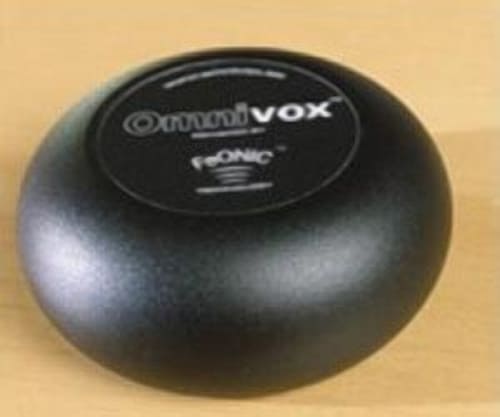
Update: The link to the above page works, but the link from that page no longer works. This page is retained for historical reasons.
Filed Under:
Hardware
Tagged as: Hardware, Omnivox, Sound, Speakers
Comments Off on Omnivox Offers a Great Discount
Wired magazine interviews David Byrne of Talking Heads, who talks about his use of PowerPoint:
“I’m not someone who used PowerPoint in my professional life, but a couple of years ago I’d finished this pseudo-religious book and wanted my live readings to feel like the sort of presentation that a motivational speaker might deliver. I knew this was something they might use, so I thought – OK, to complete the illusion, I’ll do these readings accompanied by PowerPoint.”
Read more in this feature, Turning Heads With PowerPoint.
In another Wired magazine feature, Learning to Love PowerPoint, David adds:
“Having never used the program before, I found it limiting, inflexible, and biased, like most software. On top of that, PowerPoint makes hilariously bad-looking visuals. But that’s a small price to pay for ease and utility. We live in a world where convenience beats quality every time. It was, for my purposes, perfect.”

Filed Under:
Miscellaneous
Tagged as: Art, David Byrne, Lifestyle, PowerPoint
Comments Off on PowerPoint – An Art Form?
Speechmakers have released version 1.2 of PowerTalk, a free add-in for PowerPoint that narrates text content and ‘Alt’ text using Microsoft’s Speech API. Imagine that you ccould have someone automatically speak any presentation or slide show?
You’ll find more info in a full review on PowerTalk on Indezine.

Filed Under:
Reviews
Tagged as: Accessibility, Add-in, PowerPoint, PowerTalk, Review
Comments Off on PowerTalk 1.2 Released
Dr. Joseph Sommerville discusses The Seven Deadly Sins of PowerPoint Presentations on the About site.

Filed Under:
Thoughts
Tagged as: Joseph Sommerville, Opinion, PowerPoint
Comments Off on Seven PowerPoint Sins
Microsoft and the Office logo are trademarks or registered trademarks of Microsoft Corporation in the United States and/or other countries.