
This is the print version of this page. All content is copyright Indezine.com 2000-2026.
Thoughts and impressions of happenings in the world of PowerPoint and presentations, continuously updated since 2003.
See Also:
PowerPoint and Presenting Notes
PowerPoint and Presenting Glossary

Dr. Nick Morgan is one of America’s top communication speakers, theorists, and coaches. A passionate teacher, he is committed to helping people find clarity in their thinking and ideas – and then delivering them with panache. He has written three books on communications and is currently working on a fourth about the virtual world, to be published by Harvard next year. He has coached executives and other humans to give Congressional testimony, to appear on the Today Show, and to deliver unforgettable TED talks. He has worked widely with political and educational leaders. And he has himself spoken, led conferences, and moderated panels at venues around the world.
In this conversation, Nick talks about his sessions at the upcoming Presentation Summit 2017 in Clearwater Beach, FL.
Filed Under:
Events
Tagged as: Communication, Interviews, Nick Morgan, PowerPoint, Presentation Summit, Voice
Comments Off on Presentation Summit 2017: Conversation with Nick Morgan
When you select an audio clip in PowerPoint 2016, you will see two extra contextual tabs on the Ribbon. One of these tabs is the Audio Tool Playback tab that provides options to configure properties that define how your inserted audio will play: whether it will play automatically, or will it play audio across slides? Let’s assume that you want your audio to play as a background score across multiple slides. Typically you would have to make four separate choices, but PowerPoint 2016’s Audio Styles feature lets you automatically apply these four settings at once!

Explore Audio Styles in PowerPoint 2016 for Windows.
Filed Under:
PowerPoint 2016
Tagged as: Audio, Microsoft Windows, Office 2016, PowerPoint 2016, Sounds, Tutorials
Comments Off on Audio Styles in PowerPoint 2016 for Windows
We have already explored the Eyedropper tool in PowerPoint 2016 that lets you sample colors from any object within your PowerPoint slide and use that same color as a fill or outline for a shape. But what do you do if the color you want to use exists on a web page, your desktop wallpaper, or anywhere else? The technique to capture a color from outside PowerPoint is little different. In this article, we will explore how you can copy a color from somewhere outside PowerPoint and use it as the fill and outline color of a text.

Explore advanced options of the Eyedropper tool in PowerPoint 2016 for Windows.
Filed Under:
PowerPoint 2016
Tagged as: Eyedropper, Fills, Lines, Microsoft Windows, Office 2016, PowerPoint 2016, Tutorials
Comments Off on Advanced Eyedropper Options in PowerPoint 2016 for Windows
When your PowerPoint presentation is digitally signed and shared, it helps to validate your identity. At times, you may want to remove a digital signature attached to your PowerPoint presentation. Why? Maybe you want it signed by someone else, you may want to use another signature, or maybe there’s no need for a particular presentation to be signed anymore. Follow these steps to remove the digital signature from a PowerPoint presentation in PowerPoint 2013 for Windows.

Learn how to remove a digital signature from a presentation in PowerPoint 2013 for Windows.
Filed Under:
PowerPoint 2013
Tagged as: Digital Signature, Microsoft Windows, Office 2013, PowerPoint 2013, Tutorials
Comments Off on Remove Digital Signatures from PowerPoint 2013 for Windows
Although video continues to be a powerful medium to distribute content and spread awareness, it’s not always easy to create quality content, and share it on sites such as YouTube, especially when you need to record a gaming session on your computer, or even a Skype video session, or a webinar. What can be more confusing? The fact that there are a thousand programs out there that promise everything under the sun, but once you start using them, you wished there was something better available. Well, it does look like you should explore Wondershare’s Filmora Scrn.
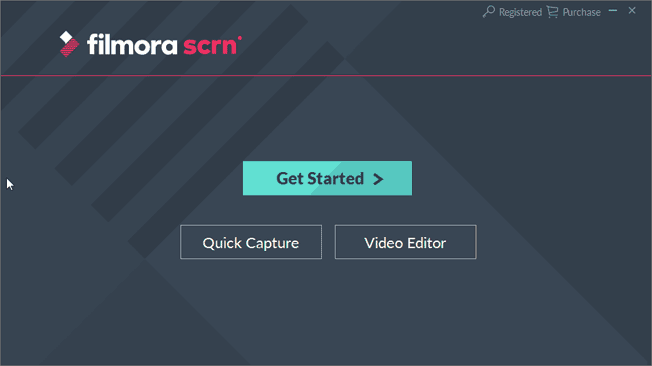
Explore Filmora Scrn, a tool that lets you make screen recordings and share them easily.
Filed Under:
Reviews
Tagged as: Review, Video, Wondershare
Comments Off on Wondershare Filmora Scrn: The Indezine Review
Microsoft and the Office logo are trademarks or registered trademarks of Microsoft Corporation in the United States and/or other countries.