
This is the print version of this page. All content is copyright Indezine.com 2000-2026.
Thoughts and impressions of happenings in the world of PowerPoint and presentations, continuously updated since 2003.
See Also:
PowerPoint and Presenting Notes
PowerPoint and Presenting Glossary
There are many applications, including PowerPoint that allow you to record your voice using a connected microphone. Such recorded voice-overs work amazingly well as slide narrations. However, if your connected microphone does not work using the recording options in PowerPoint or another application, then you may have to first find if the microphone hardware was detected or not by your Windows operating system. Also if detected, has it been selected as the default recording device? In this tutorial, we will discover how you can take care of these concerns in both Windows 8 or Windows 7.

Learn how to set up a recording audio device in Windows 8 or 7.
Filed Under:
Uncategorized
Tagged as: Microsoft Windows, Narration, PowerPoint, Sounds, Tutorials
Comments Off on Setting a Recording Audio Device in Windows 8 or 7
Motion Path animations in PowerPoint enable you to make any slide object move within or outside the slide, and also make it move around on the slide in a particular path! PowerPoint provides dozens of Motion Path presets, in every shape that you can imagine. To add a Motion Path animation to any object on a PowerPoint slide, follow these steps.
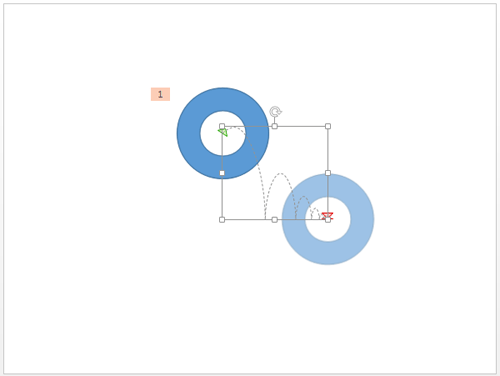
Learn how to apply Motion path animations to slide objects in PowerPoint 2013 for Windows.
Filed Under:
PowerPoint 2013
Tagged as: Animation, PowerPoint 2013, Tutorials
Comments Off on Learn PowerPoint 2013 for Windows: Getting Started with Motion Paths
Animating table components is something that you cannot do in PowerPoint. You can either set to animate the entire table at a time, or can’t animate it at all. The solution is to first ungroup the table using the workaround explained in our Ungroup a Table in PowerPoint 2013 for Windows tutorial and then animate the ungrouped components as required.

Learn how to animate an ungrouped table in PowerPoint 2013 for Windows.
Filed Under:
PowerPoint 2013
Tagged as: Animation, PowerPoint 2013, Tables, Tutorials
Comments Off on Learn PowerPoint 2013 for Windows: Animate Ungrouped Tables
In this issue, we bring you another collection of animated gears — you get 6 new styles that you can copy and paste in your slides for just $10 and above. We also bring you a new set of combine-and-use star shapes that you can get for any price, starting from $0! And Miguel Monteiro from Portugal explores whether PowerPoint is really as powerful as some people assume!
PowerPoint 2013 users can learn about adding animations, the different types, and specifically explore entrance, emphasis and exit animations. Charting tutorial for PowerPoint 2013 include how you can alter the gap width in charts, using the invert if negative option, changing the color of inverted elements, and also how you can vary colors for chart categories. And also learn how you can ungroup tables.
And finally, do not miss the new discussions and templates of this week!

Read Indezine’s PowerPoint and Presenting News.
Filed Under:
Ezine
Tagged as: Ezine, Indezine, News, PowerPoint
Comments Off on PowerPoint and Presenting News: July 15, 2014
The three basic animation types in PowerPoint: Entrance, Emphasis, and Exit animations are something we have already explored. The fourth animation type is called Motion Path animation, and this is something more advanced in nature than the basic animation types explored so far. Motion Path animation determines the route (path) and the direction in which the animated slide object moves across or around on the slide. For example, you can move the slide object up, down, right, or left — and even on a preset or a created motion path.

Explore Motion Path animations in PowerPoint 2013 for Windows.
Filed Under:
PowerPoint 2013
Tagged as: Animation, PowerPoint 2013, Tutorials
Comments Off on Learn PowerPoint 2013 for Windows: Motion Path Animations
Microsoft and the Office logo are trademarks or registered trademarks of Microsoft Corporation in the United States and/or other countries.