
 (1 votes, average: 5.00 out of 5)
 Loading...
Shape fills such as solid colors, gradients, pictures, and textures can have a transparency attribute that lets you reduce the opacity of a fill so that the slide object or background behind shows through. Transparency is calculated in percentages and you can change its value all the way from 0 to 100%. Some fill options, such as pattern and slide background have no transparency options.

Learn how to apply transparency to shape fills in PowerPoint 2010 for Windows.
Related Posts
 At times, you may want to change your default version of PowerPoint. This decision can be important for you if you have multiple versions of PowerPoin...
 We already looked at the Trust Center in a previous tutorial. But who knew that there so many settings available within the Trust Center? In this tuto...
 PowerPoint lets you keep your computer secure by using Trust Center options. In the Trust Center, you can change settings that influence how macros ru...
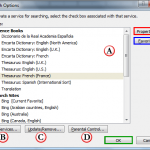 Have you ever wondered why the sites that are shown within the Research Task Pane in Microsoft Office programs such as Word, PowerPoint, etc. differ f...