
 (No Ratings Yet)
 Loading...
When you insert a new shape on a slide in PowerPoint 2013 (or in any previous version), by default it is filled with a solid color and an outline (or something else depending on the Theme your presentation is based on). For example in a new blank presentation that we created, the shape is by default filled with a blue solid fill and has a thin dark blue outline. Whenever we insert another new shape on a slide, it will possess these same default shape attributes ( fill, outline, and effect).

Learn how to change the default shape attributes in PowerPoint 2013 for Windows.
Related Posts
 PowerPoint's fill, line, and effect attributes enable you to customize the look of shapes and other slide objects in your presentation. However, it ma...
 PowerPoint's fill, line, and effect attributes enable users to customize the look of the presentation, but sometime it may take ages to get that perfe...
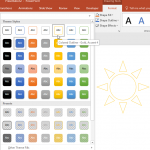 PowerPoint's fill, line, and effect attributes enable you to customize the look of shapes and other slide objects in your presentation. However, it ma...
-
Although PowerPoint enables you to edit the fill, lines, and effects attributes of a shape, this is a time consuming task that may involve trying out ...