
Charts in PowerPoint can be customized by changing the appearance of various chart elements. Typically, the legend is a box or area that contains color or pattern swatches representing the series in a chart. The legend is the box that captions the series: Series 1, Series 2, and Series 3 and identifies them with different colors so that you can follow which series each of the columns in that chart represent.

Learn how to add and reposition chart legends in PowerPoint 2010 for Windows, PowerPoint 2007 for Windows, and PowerPoint 2003 for Windows.
Related Posts
 For some reason, Slide Numbers cause more confusion and frustration to PowerPoint users than many other, more complicated features! That’s probably be...
 Although we mention that this tutorial works for both PowerPoint 2007 and 2010, the actual techniques work only within PowerPoint 2010 for Windows. Th...
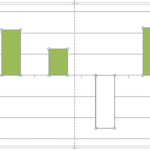 If your chart has negative values, then PowerPoint uses the same fill color for negative values in the sample chart. Fortunately, you can override thi...
 Long time PowerPoint users will remember the difficulties of charting. It was so painful, time-consuming, and repetitive a task changing the fills of ...