
 (No Ratings Yet)
 Loading...
Microsoft Office 2008 includes plenty of Themes that allow you to change how your documents, slides, and worksheets look. These Themes are available in Word, Excel, and PowerPoint — in PowerPoint 2008, these built-in Themes can be found within the Slide Themes tab in the Elements Gallery. You can make some customizations to these Themes and then save or share the changed Themes — in this tutorial, you are going to learn how you can do that within the various Office 2008 for Mac applications.

Learn how to save the active Theme in PowerPoint, Excel, and Word 2008 for Mac.
You May Also Like:
Applying Themes in PowerPoint, Word, and Excel 2008 on Mac
Applying Theme Colors and Theme Fonts in PowerPoint, Word, and Excel 2008 on Mac
Related Posts
 Each Theme contains several unique facets such as Theme Fonts, Theme Colors, and Theme Effects that set each Theme apart from other Themes. Note that ...
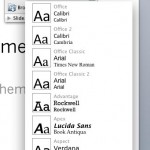 When you apply a Theme to a PowerPoint presentation, it completely changes the appearance of the slides. This happens because a Theme contains a set o...
 Applying Themes in different applications under Office 2007 and Office 2010 for Windows has already been discussed in our previous tutorials. To do th...
 As discussed in our Sharing and Deleting Custom Theme Fonts in PowerPoint 2008 and 2011 for Mac tutorial, you cannot create your own Theme Fonts sets ...