
Once you have the gridlines visible on your slide in PowerPoint 2010, you can use them to easily position and snap slide objects uniformly on a single slide, or even across successive slides using the Snap to Grid option. To access the Snap to Grid option, and to make changes to the way it works, you need to access the Grid and Guides dialog box.http://www.blogger.com/img/blank.gif
Learn how the gridlines snap and help you position slide objects in PowerPoint 2010 for Windows.
Related Posts
 It is easy to flip and rotate a picture on your slide. However this same flipping can be a little tricky when you use a Picture fill within a shape. T...
 In PowerPoint 2010, Shape Outlines such as solid colors and gradients have a transparency attribute that lets you reduce the opacity of a fill so that...
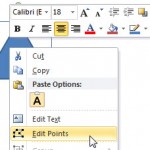 While PowerPoint lets you attach a connector to any slide object, these connectors can only be attached to wherever you see an anchor point on the sli...
 After learning how you can insert Action Buttons and what the default behavior for each Action Button is, let us now move on to more detailed techniqu...