
Although a chart may seem like a single object at first glance, look closer and you will find that each chart comprises several individual elements that we call chart elements in PowerPoint. These chart elements include Series (and this could be one or more series with values), Categories (again this can be one or more categories), Axes (horizontal, vertical, and in some cases a third axis as well), Plot area (the active chart area), Legend, Chart Title, and many more. In this tutorial we’ll learn about these individual PowerPoint chart elements and also how to select and edit them.

Learn about chart elements in PowerPoint 2013 for Windows.
Related Posts
 The chart templates you save within PowerPoint 2013 are saved into a default folder location which you do not have to worry about, as far as you are u...
 You can tweak your chart in PowerPoint as much as you want so that the resulting chart follows your specifications. Once you met a standard that you m...
 Even though charts are a visual medium, they still contain plenty of text in the form of data labels, titles, legend, axis labels, etc. Whenever you i...
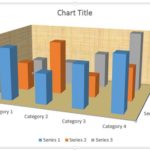 Unlike conventional 2D charts, 3D charts have distinct walls and a floor. Also, by default, these walls and floor show no fill and not even a border. ...