
Microsoft has made available the Office 2016 for Mac Preview, which includes newest versions of Word, Excel, PowerPoint, and other programs – anyone can install this free Preview version, which will continue to work until the official release of the product, which is estimated to be available in the second half of 2015. To learn more, follow these steps — or even read these steps as a walk-through.

Learn how to install the Office 2016 for Mac Preview.
Related Posts
 Technically, yes, you can create a bar chart in PowerPoint and go through some hoops and workarounds to make it look like a Gantt chart. However, let’...
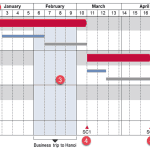 There are charts of all kinds that can be seen in business reports, presentation slides, website pages, books, and even on social media. However, the ...
 If you are working with PowerPoint on a Mac, then you are working within an environment that’s designed to closely work with Apple’s product ecosystem...
 Waterfall charts may sound complicated, but they are among the easiest charts to understand. Just like a story that builds up layer by layer, the colu...