
Inserting a picture on PowerPoint slide is a frequent and commonplace task, and to you, this may look like a simple activity. But this simple task includes few options. You know that pictures located in any of your folders can be inserted on a slide. By default, PowerPoint retains no relation; even if you delete or move the original picture file you inserted, the copy on your slide will still be retained since PowerPoint saves the picture as a part of the file it creates. Yet, there are options within PowerPoint that let you maintain the relation between the original picture and the inserted picture. For example, if you make changes to your original picture, PowerPoint will update its copy on the slide!

Related Posts
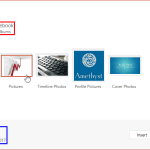 PowerPoint enables you to insert online pictures in more than one way, and explored these various options in our Insert Online Pictures in PowerPoint ...
 Our next option within the Insert Online Pictures in PowerPoint 2016 series of tutorials is exploring how you can insert pictures from your OneDrive a...
 There are many, many options as far as inserting pictures from online sources within PowerPoint are concerned. Other than using the Bing Image Search ...
 Although you can search for pictures on Google Images or Bing, these pictures show in web browsers, and even then you cannot use most pictures in your...