
Once you insert a SmartArt graphic within PowerPoint (or convert some bulleted text to SmartArt), you may want to add more shapes to your SmartArt graphic. Fortunately, you can make these additions and later edit them too. You can add more shapes to your existing SmartArt graphics either from within the SmartArt graphic itself or through the Text Pane. Note that adding a new shape to a SmartArt graphic entirely depends on the SmartArt variant that you are using; some variants offer more options than the others.

Learn how you can add more shapes to existing SmartArt graphics in PowerPoint 2016 for Windows.
Related Posts
 When you insert a new shape on a slide in PowerPoint 2016 (or in any previous version), by default it is filled with a solid color and an outline (or ...
 PowerPoint's fill, line, and effect attributes enable you to customize the look of shapes and other slide objects in your presentation. However, it ma...
 When you insert a video clip within a PowerPoint slide, you'll find it placed as a traditional rectangular shape. And while that's what most users exp...
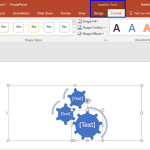 After inserting a SmartArt graphic in your slide, you can change the color for the entire SmartArt graphic. Doing so applies new colors to the entire ...