
By Kellie McCord, Toastmasters International
Over the last 12 months, many of us have become dab hands at participating in or hosting online meetings. Take Zoom for example (other cloud-based video conferencing services are available). If you are hosting a meeting, you merely log in, click a few buttons, send out the invites, admit people as they arrive, and off you go. This may seem easy. And it is for the majority of us.
However, human minds produce an infinite variation in neurocognitive functioning, and for many people living with neurodiversities and disabilities, online interaction is not always straightforward and stress-free. But the good news for hosts of webinars or any other online gathering is that there are a few simple things that can help make the experience easier for more people.
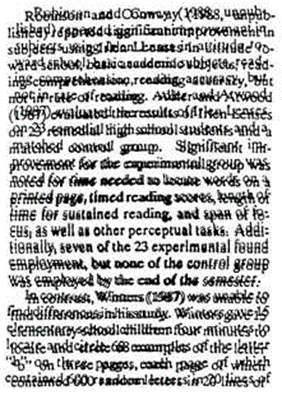
To take one example, it is estimated that approximately ten percent of people in the UK have some degree of dyslexia. People with dyslexia can be extremely creative thinkers and skilled problem solvers, but they can experience difficulty with written information; perhaps they will read slower than many of us as the order of letters in words can appear to be jumbled.
So, how can you make slides clearer and easier to understand?
Firstly, you can alter the background color. Whether you opt for blue, pink, or green, it doesn’t really matter. What is important is that you avoid bright white. Also, make sure you have a strong contrast between the background color and the font color.
Fonts should be simple. If you wrote a novel during the lockdown, go ahead and use Times New Roman when you submit it —agents and publishers still love a serif font. However, for slides that you’ll be using online, you want a sans serif font such as Arial, Helvetica, or Verdana which was designed to be read on screens. Also, increase your font sizes, and don’t go wild with font color. Avoid, reds, blues, and greens, as people with color blindness might find fonts in these colors challenging to read.
Similarly, for the layout, simple is best. Do not squash things together or try to be overly fancy. Remember that your goal is effective communication, not winning a design award. Good line spacing is essential, as is making sure ideas are also clearly separated and differentiated.
These are a few ways to improve the experience of your online meeting for people who have issues with written communication, but what about verbal communication?
Over 70 million people in the world stammer. Stammering can take three forms:
- Repeating sounds or syllables of a word
- Making sounds longer
- Words getting stuck and not coming out
People can work to ensure their stutter is manageable— Grammy Award-winning singer-songwriter Ed Sheeran, Golden Globe-winning actress Emily Blunt, and US President Joe Biden are all proof of that. However, many people who have issues with stammering can be triggered in moments of anxiety. As an online host, you can take steps to reduce potential stress.
Instead of picking on someone randomly to answer a question, after asking your question, say that you will give people a moment to consider the question, before turning to (name the person) to share their thoughts.
During interactive sessions, if you allow people to just call out, someone with a stammer may feel that because they are unable to get their words out quickly, they might be overlooked, and so remain silent. A way to mitigate this is to either ask people to raise their hand or ask them to write a comment in the chat box.
If someone in the meeting begins to stammer, being patient is more helpful than jumping in to try to rescue them. Rather than attempting to fill in what they are saying, just listen without interrupting. This will give them space and time to communicate what they want to say. By doing this, you make it clear that there is value in their contribution, and that what they have to say is more important than how they are saying it.
You may want to give participants in your online event the opportunity to flag up any special requirements, and it is best to do this in advance. You can do this, for example, via a survey that allows for anonymity, with the option to get in touch with you directly.
In summary here are the things to avoid:
- Too much text on a slide
- Red, green, and blue fonts
- Glaring backgrounds
- Lots of links and buttons to click on for a meeting
- Singling out someone or rushing someone
Here are the things to do:
- Use a sans serif font
- Use large font sizes
- Contrasting background color with font color
- Creating an anonymous survey so people can say what specialist requirements they need.
As a business owner and leader, you want to empower people. You can do this by being inclusive in all your online events whether these are presentations to clients or webinars and meetings for your team. You can support everyone by thinking about their needs, planning your materials, and being attentive and patient during the online meeting.

Kellie McCord is a member of Toastmasters International, a not-for-profit organization that has provided communication and leadership skills since 1924 through a worldwide network of clubs. There are more than 400 clubs and 10,000 members in the UK and Ireland.
Members follow a structured educational program to gain skills and confidence in public and impromptu speaking, chairing meetings, and time management. To find your nearest club, visit Toastmasters International.
The views and opinions expressed in this blog post or content are those of the authors or the interviewees and do not necessarily reflect the official policy or position of any other agency, organization, employer, or company.
Related Posts
 By Kellie McCord, Toastmasters International For many people who now have to join online meetings, the worries created are rather more than the usual ...
 By Vinette Hoffman-Jackson, Toastmasters International Imagine the scene. You begin to speak. Your audience is loving your presentation. Then you get ...
 By Violeta Saladiene, Toastmasters InternationalThe opening of a presentation is your one chance to grab your audience’s attention - don’t waste it. W...
 By Teresa Palmer, Toastmasters InternationalPeople do not remember you by what you say, they remember you by how you make them feel- UnknownI joined t...