
 (No Ratings Yet)
 Loading...
The shadow effect in PowerPoint adds more depth to your selected shape, and you may achieve the perfect shadow effect the very first time you use PowerPoint’s default shadow options. However, you may want that shadow to be a wee bit longer, or just a little less pronounced. Or maybe you want the shadow to sport a color that’s different.
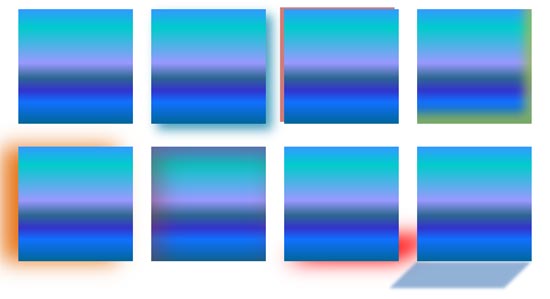
Learn about options to edit the Shadow Effect in PowerPoint 2016 for Windows.
Related Posts
 PowerPoint’s Shape Effects are used to enhance the look of your shapes, and with PowerPoint 2016 providing a vast repertoire of effects, you can easil...
 PowerPoint's fill, line, and effect attributes enable you to customize the look of shapes and other slide objects in your presentation. However, it ma...
 Depth, as a parameter for 3-D objects, plays a very important role. In simple terms, Depth is the distance from the highest to the lowest, and typical...
 PowerPoint's 3-D options allow you to rotate shapes or add beveled edges. And these 3-D options are surprisingly powerful. In fact, some of these opti...