
 (1 votes, average: 5.00 out of 5)
 Loading...
The Ribbon that you see within the PowerPoint 365 for Mac user interface was designed to make all options easily accessible. To make more options available, you can add more tabs, rename them, and populate them with even more commands, as we will explore within this tutorial.
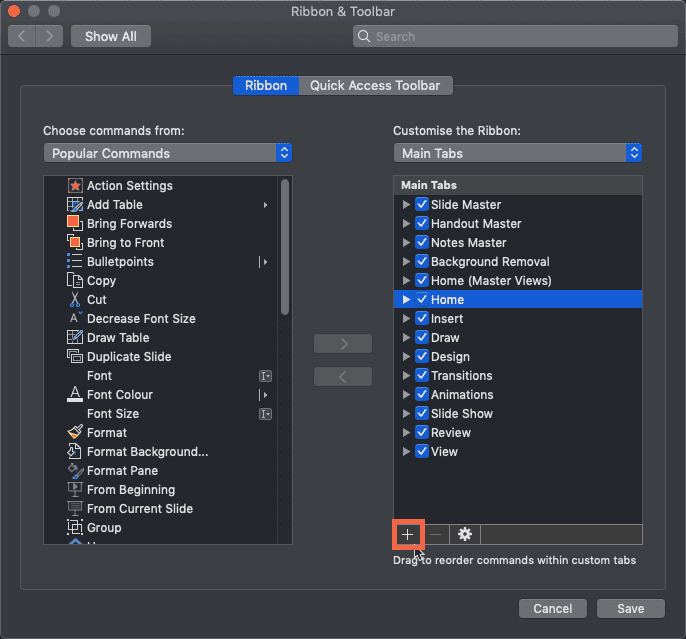
Learn to add and rename Ribbon tabs in PowerPoint 365 for Mac.
Related Posts
 PowerPoint 365 for Mac allows you to customize the Ribbon in a number of ways. You can add new Ribbon tabs, add Groups within the Ribbon tabs, and pop...
 If you want to really benefit from customizing your Ribbon in PowerPoint 365 for Mac, then you will certainly want to add some commands, beyond the on...
 All Ribbon tabs in PowerPoint may have any number of buttons. These buttons represent commands. You'll see that these buttons are not scattered all ov...
 All Ribbon tabs in PowerPoint 2019 for Windows may have any number of buttons that represent commands but they are not scattered all over the tab area...