
 (No Ratings Yet)
 Loading...
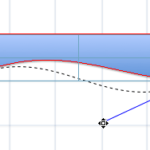
You have already learned about the amazing stuff you can do with connectors — starting from drawing to formatting them. Many times when you draw connectors between slide objects, the connector may use the shortest path between two slide objects — this might overlap the connector over other shapes, text boxes, or any other object. You might have another reason to use a longer connector between two slide objects as well — whatever your reason may be, the good news is that you can easily reroute your connectors — either automatically or manually.
Related Posts
 You may know how easy it is to flip or rotate a picture on your slide. But do this same flipping when you use a Picture fill within a shape -- and do ...
 In PowerPoint, you are provided with an extensive array of built-in shapes that help you create great looking graphics for your slides. PowerPoint sha...
 In PowerPoint 2011, you can change the direction of rotation for text contained within a shape. However you actually cannot find an option to rotate y...
 Did you ever draw a line in PowerPoint that was slanted or sloped -- and then you wanted to know the length of your line? Believe it or not, there is ...