
 (No Ratings Yet)
 Loading...
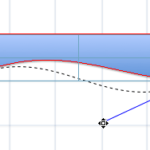
A line (outline) in PowerPoint contains both points and segments. You already learned about the three types of points in PowerPoint 2011 in a previous tutorial. Now we are going to show you how to work with segments, the lines that connect one point and another. There are two types of segments: straight and curved. You can edit these segments and also convert a straight segment to a curved segment and vice versa, as you will learn in this tutorial.
Learn about Curved and Straight line segments in PowerPoint 2011 for Mac.
Related Posts
 You may know how easy it is to flip or rotate a picture on your slide. But do this same flipping when you use a Picture fill within a shape -- and do ...
 In PowerPoint, you are provided with an extensive array of built-in shapes that help you create great looking graphics for your slides. PowerPoint sha...
 In PowerPoint 2011, you can change the direction of rotation for text contained within a shape. However you actually cannot find an option to rotate y...
 Did you ever draw a line in PowerPoint that was slanted or sloped -- and then you wanted to know the length of your line? Believe it or not, there is ...