
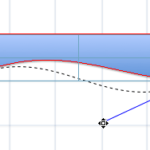
When you insert any of the shapes available in PowerPoint, you are not limited to what their default appearance looks like. You can change a rectangle to a rhombus, or even edit a curved or freeform line differently. You can do this by using the Edit Points option — this almost makes PowerPoint a drawing program that provides you the option to play with vertexes (points), handles, etc. — very similar to what you would do in Adobe Illustrator. A vertex is a point within the outline of any shape that can be dragged or edited to change the appearance of the shape.
Learn how to edit the structure of a shape in PowerPoint 2011 using the Edit Points option.
Related Posts
 You may know how easy it is to flip or rotate a picture on your slide. But do this same flipping when you use a Picture fill within a shape -- and do ...
 In PowerPoint, you are provided with an extensive array of built-in shapes that help you create great looking graphics for your slides. PowerPoint sha...
 In PowerPoint 2011, you can change the direction of rotation for text contained within a shape. However you actually cannot find an option to rotate y...
 Did you ever draw a line in PowerPoint that was slanted or sloped -- and then you wanted to know the length of your line? Believe it or not, there is ...