
 (1 votes, average: 5.00 out of 5)
 Loading...
George Lucas must be so proud of Microsoft. In PowerPoint 2002 and 2003, you can now make Star Wars style animations. The text crawls from bottom to the top, diminishing in size until it fades into oblivion. You expect to see the Millennium Falcon zoom by at any moment.

Learn more from my tutorial at the Computor Companion site.
If the link above does not work for you, please find similar tutorials for many PowerPoint versions at our Animation Effects and Examples: Star Wars Style Credits Animation in PowerPoint page.
Related Posts
 Some things are better shown than read! Creating or animating a car in PowerPoint is just one of those things. So in this video tutorial, you will lea...
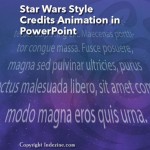 The Star Wars Style Credits Animation presentation includes a sample slide in which the credits animate in the Star Wars style. You can download this ...
 You can crop pictures in PowerPoint, and of course you can animate them. But as you may observe frequently in life, synergy yields results that exceed...
 Animation is movement, and nothing captures attention of the human eye like a "little" movement. More movement does not get more attention; in fact to...