Geetesh Bajaj, Author - Page 104 of 247


Author Archives: Geetesh Bajaj

Browse posts authored by Geetesh Bajaj.

See Also:
PowerPoint and Presenting Notes
PowerPoint and Presenting Glossary


April 15th, 2015
Learn PowerPoint 2010 for Windows: Adding Clips to the Clip Organizer


Clichés: Handshake Pictures for PowerPoint April 15th, 2015
Clichés: Handshake Pictures for PowerPoint


Gradient Fills for Text in PowerPoint 2013 for Windows April 15th, 2015
Gradient Fills for Text in PowerPoint 2013 for Windows


April 14th, 2015
PowerPoint and Presenting News: April 14, 2015


Pie Shapes in PowerPoint April 14th, 2015
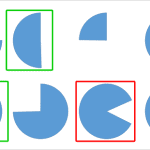
Working with Pie Shapes in PowerPoint


Learn PowerPoint 2013 for Windows: Picture Fills for Text April 14th, 2015
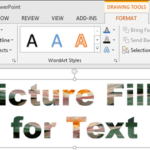
Learn PowerPoint 2013 for Windows: Picture Fills for Text


April 13th, 2015
Learn PowerPoint 2010 for Windows: Viewing Sections


April 13th, 2015
Learn PowerPoint 2013 for Windows: Text Fills


April 10th, 2015
Learn PowerPoint 2010 for Windows: Copy and Remove Highlighting for Text


April 10th, 2015
Key Graphics for PowerPoint (02 Contemporary Keys)


Learn PowerPoint 2013 for Windows: WordArt Styles April 10th, 2015
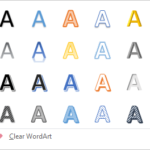
Learn PowerPoint 2013 for Windows: WordArt Styles


April 9th, 2015
Learn PowerPoint 2013 for Windows: Change Text Case


April 8th, 2015
Learn PowerPoint 2010 for Windows: Highlight Text


Learn PowerPoint 2013 for Windows: Columns Within Text Boxes April 8th, 2015
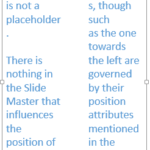
Learn PowerPoint 2013 for Windows: Columns Within Text Boxes


April 7th, 2015
PowerPoint and Presenting News: April 7, 2015


April 7th, 2015
Learn PowerPoint 2010 for Windows: Understanding Clip Art Search Results


April 7th, 2015
Learn PowerPoint 2013 for Windows: Set as Default Text Box


April 6th, 2015
Learn PowerPoint 2010 for Windows: Insert Pictures From the Clip Art Pane


April 6th, 2015
Key Graphics for PowerPoint (01 Old Keys)


Learn PowerPoint 2013 for Windows: Internal Margin Options April 6th, 2015
Learn PowerPoint 2013 for Windows: Internal Margin Options


Learn PowerPoint 2010 for Windows: Reordering Sections April 3rd, 2015
Learn PowerPoint 2010 for Windows: Reordering Sections


Overcoming Clichés in Pictures April 3rd, 2015
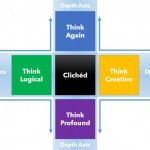
Overcoming Clichés in Pictures


April 3rd, 2015
Learn PowerPoint 2013 for Windows: Missing Mini Toolbar


April 2nd, 2015
Prezi Nutshell


Learn PowerPoint 2013 for Windows: Format Text Attributes Within the Mini Toolbar April 2nd, 2015
Learn PowerPoint 2013 for Windows: Format Text Attributes Within the Mini Toolbar


Popular Posts

Ampler Kristian Johansen Ampler: Conversation with Kristian Johansen

Kristian Johansen is CEO and founder of Ampler, an integrated productivity platform for Microsoft Office. Ampler enables users to work faster, easier, and more efficiently in PowerPoint, Word, and Excel, and includes a series of tools that can be integrated into existing Office installations. Kristian has a background as a management consultant from Bain & ...


Clear Slides - Ramgopal M. S. Clear Slides: Conversation with Ramgopal M. S.

Explore insights from author Ramgopal M. S.’s new book, Clear Slides, on simplifying complex ideas through clear, effective presentations.


Pecha Kucha Tips 10 Tips for Pecha Kucha

A few days ago, our PowerPoint and Presenting Stuff LinkedIn group had a great discussion on Pecha Kucha. It started with one of our members asking for some guidance on how to go about preparing for a Pecha Kucha presentation. To those of you who do not know what Pecha Kucha is, it is a ...


Page 1 … Page 102 Page 103 Page 104 Page 105 Page 106 … Page 247


Microsoft and the Office logo are trademarks or registered trademarks of Microsoft Corporation in the United States and/or other countries.

Plagiarism will be detected by Copyscape

© 2000-2026, Geetesh Bajaj - All rights reserved.

since November 02, 2000