
This is the print version of this page. All content is copyright Indezine.com 2000-2026.
Thoughts and impressions of happenings in the world of PowerPoint and presentations, continuously updated since 2003.
See Also:
PowerPoint and Presenting Notes
PowerPoint and Presenting Glossary
Make sure you are aware of the system requirements for Apple Keynote and the rest of the Apple iWork programs before you buy a retail box. That’s one of the reasons why you should download a trial version of the product.

The current version, Keynote 08 (or Keynote 4), runs on Mac OS X 10.4 Tiger, 10.5 Leopard, and later versions of OS X. And if you are running an earlier version of OS X, you’ll have to find an earlier version of Keynote and iWork as well (or upgrade your OS X version).
You can find older versions of Keynote and OS X on auction sites like eBay but be aware that the newest version of Keynote always has more features. Also, you might not be able to open Keynote presentations created in the new version inside older versions of Keynote, although the opposite is not true.
Filed Under:
Keynote
Tagged as: Apple Mac OS X, iWork, Keynote
Comments Off on Keynote System Requirements
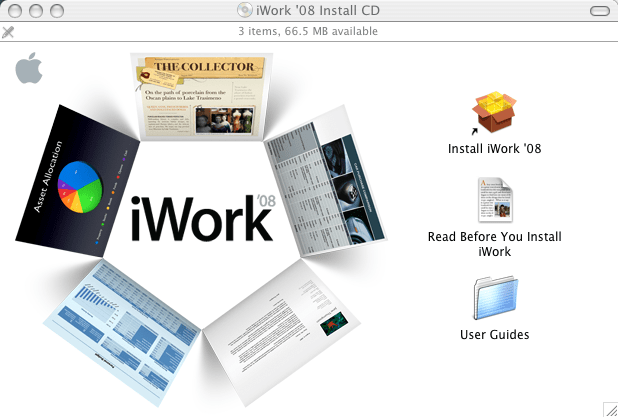
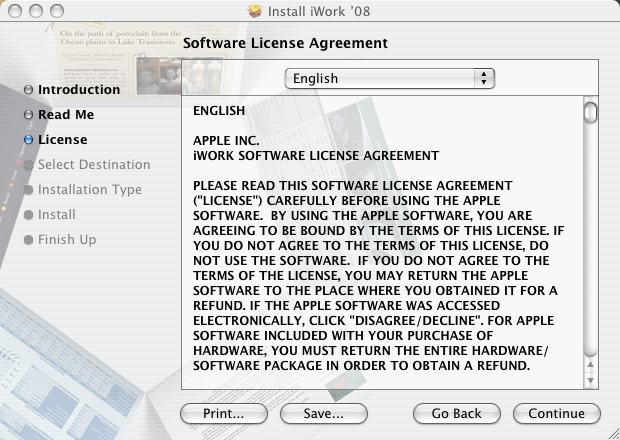
In this post, we’ll show you how you can install Apple iWork (and Apple Keynote) on your Mac. Remember, as of now, iWork comprises Keynote, Pages, and Numbers. You can also get a trial version of iWork before deciding to buy a retail version.
To install iWork, follow these steps:


Filed Under:
Keynote
Tagged as: Apple Mac OS X, iWork, Keynote
Comments Off on Installing iWork (and Keynote)
Techsmith today launched one of their most awaited releases: the new version Techsmith Snagit 9, their screen capture product that does so much more than just screen capture. Snagit is an indispensable part of any computer we own, and the new version adds many new features and a cool, new interface.

Read more details on the Techsmith site.
Filed Under:
Companion Programs
Tagged as: Companion Programs, Snagit, Techsmith
Comments Off on Techsmith launches Snagit 9
You can buy a copy of Apple iWork (and Apple Keynote) as a retail boxed product on CD at any of the Apple stores or resellers. You can also buy the same boxed product from the Apple online store. There are different Apple stores on Apple’s various international sites.
In addition, you can buy an electronic download version of iWork from the Apple website.
Do remember that there are essentially two versions of iWork available:
The Family Pack costs just a little bit more than the Single User pack, and so it makes a lot of sense to get that version even if you just need to install iWork on 2 systems. As you can see the pricing in Figure 1, below, a single user pack as of today costs $79, whereas a family pack costs $99.
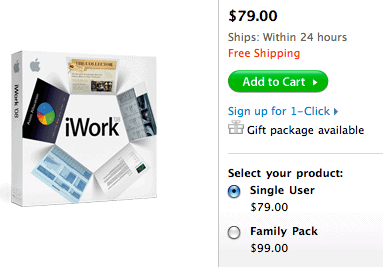
Figure 1: iWork Purchase Options
No wonder everyone wants to buy the Family Pack!
Filed Under:
Keynote
Tagged as: Apple Mac OS X, iWork, Keynote
Comments Off on Buying iWork (and Keynote)
Unless your Mac came with a trial version of iWork, you’ll want to download the evaluation from the Apple site. You’ll also want to get the trial version if you are using an earlier version of Keynote and iWork, and want to see all the new improvements before you buy a retail copy of iWork.
You can download the trial version from the Apple iWork Trial page, as shown in Figure 1, below.
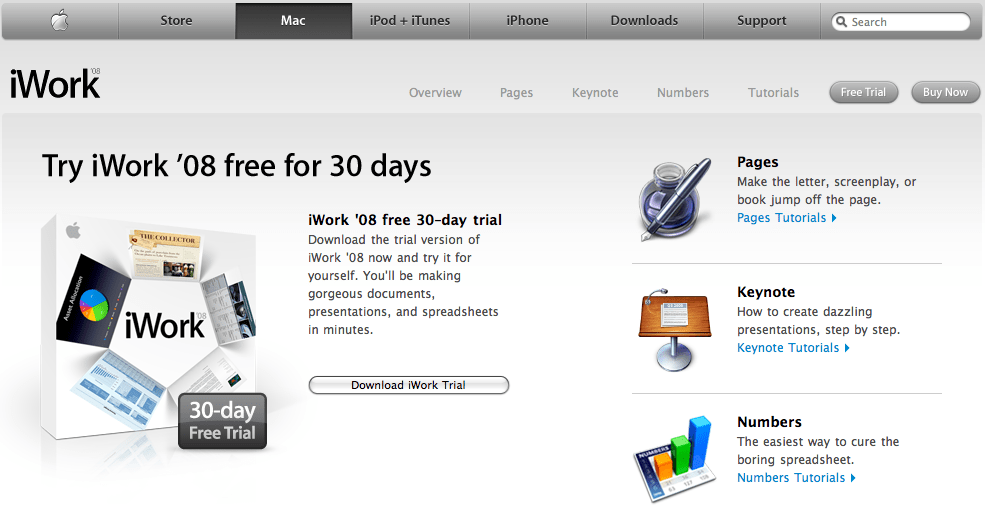
Figure 1: Apple iWork Trial Download
As you can see in the figure above, the current version of iWork is iWork 08 which includes Keynote 08. Be prepared for a long download though. As of today, the download is a whopping 469 megabytes.
Filed Under:
Keynote
Tagged as: Apple Mac OS X, iWork, Keynote
Comments Off on Getting a Trial Version of Keynote (and iWork)
Microsoft and the Office logo are trademarks or registered trademarks of Microsoft Corporation in the United States and/or other countries.