
This is the print version of this page. All content is copyright Indezine.com 2000-2026.
Thoughts and impressions of happenings in the world of PowerPoint and presentations, continuously updated since 2003.
See Also:
PowerPoint and Presenting Notes
PowerPoint and Presenting Glossary

Doing makeovers of slides is such a satisfying task – maybe that is because removing the ugly and replacing it with near perfection is a reward in itself. Over the years, I have understood that the approach required to do any actual makeover is never the same – in the same way as the fingerprints of two humans don’t match, the approaches required to do various makeovers are dissimilar.
Suggesting makeover approaches is a large part of my work – that’s why I find it amusing to hear new schools of thought in the presentation sphere that promise to be a solution to all slide problems. These beliefs range from the no-bullet approach for slides to the total denouncement of slideware. Then there are opinions about keeping things simple and clean – and of providing more visual content. And there’s another school of thought that looks at creating diagrams, charts, and other info-graphic content in a way that’s more effective as is the debate between linear and linked presentations. Each of these approaches is unique and very useful in their own way – and properly applied, each of them may make a difference. But in the same way that a physician will not prescribe a drug for common cold to a patient suffering from body pain, the makeover artist will first examine the slides and then suggest an approach that may use, discard, or combine these approaches.
Read more on this post about makeovers on the SlideShare blog.
Filed Under:
Thoughts
Tagged as: Guest Post, Online Presentations, PowerPoint, SlideShare
authorSTREAM, a site that lets you upload and share your PowerPoint presentations upped the ante today by offering a slew of new options:
Download original presentations: You can now download the original PowerPoint presentation (or other files) if the author of the content enables the relevant option (see figure below).

For your existing presentations uploaded to authorSTREAM, this option is turned off by default. You can however edit your presentation properties and check the option (see figure below).

Share on YouTube: You can also share your presentations on YouTube. This option is now available for presentations that include narration or rehearsed timings. These presentations would automatically be available in a video format (MP4) that you can upload and share on YouTube.

Share on iPods: Again this option is only available for presentations that include narration or rehearsed timings.

Filed Under:
Companion Programs
Tagged as: authorSTREAM, Companion Programs, Online Presentations, PowerPoint, YouTube
Comments Off on authorSTREAM Allows Downloads and Shares of PowerPoints on YouTube and iPods

Ric Bretschneider has released the newest episode of his podcast, which is now live on the Presentations Roundtable site.
In this podcast, Ric interviews Echo Swinford and Geetesh Bajaj about their new book, Microsoft Office PowerPoint 2007 Complete Makeover Kit. The discussion is essentially an enthusiastic and candid conversation on the state of makeovers today—and how this book evolved.
The authors also explain more about the content of the book, and how readers can benefit from the makeover samples.
Make sure you put up a comment on the podcast page!
Filed Under:
Books
Tagged as: Books, Echo Swinford, Geetesh, PowerPoint 2007, Ric Bretschneider
Comments Off on Ric’s Podcast: Why You, Too, Should Kiss Your Frog!
Over the last few days, there have been tons of reviews on Microsoft’s new Office 2008 for the Mac. In this post, we’ll look at two of these reviews, and link to them as well.
Glenn Fleishman has put up a strong verdict for Office:mac on the Seattle Times site. He finds that “Microsoft Office 2008 for Mac OS X is prettier than its predecessors. Fortunately, the upgrade is more than skin deep…..Two of the biggest interface changes you’ll find across Word, Excel, and PowerPoint are a toolbar that is now part of a document rather than a separate floating item, and a host of separate features (and some new ones) that have been stuffed into a floating palette. These additions may seem minor, but better access can save serious users many minutes. I use both features perhaps thousands of times a day.”
Read more on the Seattle Times site.

Elsa Wenzel of CNET Reviews compares Office 2008 for Mac with Office 2007 for Windows when she says: “Unlike Microsoft Office 2007, the interface changes don’t look radically foreign next to the 2004 edition. That’s good news for anyone who doesn’t want to relearn the locations of common functions. The 2007 applications for Windows arrange functions within tabs, while the 2008 Mac software largely clusters functions within the same drop-down menus including File, Edit, and View. By and large, most of the changes focus on attempting to help users craft more attractive documents. For instance, Office for Mac features the same templates and Smart Art graphics as the Windows counterparts. These are premade templates with 3D and translucent designs.
Filed Under:
PowerPoint 2008
Tagged as: Office for Mac, PowerPoint, PowerPoint 2008
Comments Off on What Office:mac 2008 Reviewers are Saying
This Quick PowerPoint Tricks webcast was done last month as part of Microsoft India’s initiatives—it’s an hour long, and is available for download.
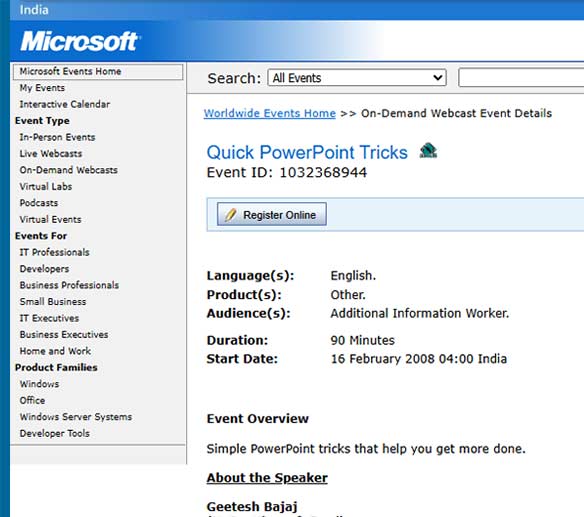
Register online, and download the webcast.
Filed Under:
Microsoft Office
Tagged as: Microsoft Office, PowerPoint, Tutorials, Webinar
Comments Off on Quick PowerPoint Tricks
Microsoft and the Office logo are trademarks or registered trademarks of Microsoft Corporation in the United States and/or other countries.