
This is the print version of this page. All content is copyright Indezine.com 2000-2026.
Thoughts and impressions of happenings in the world of PowerPoint and presentations, continuously updated since 2003.
See Also:
PowerPoint and Presenting Notes
PowerPoint and Presenting Glossary
One of the inherent advantages of eLearning is interactivity. However, creating interactive content requires oodles of creativity. It can also be plain challenging and difficult. And choosing an application to give shape to that creativity is another difficult choice to make.
Raptivity, one of the well-known e-learning creating applications provides a plethora of options and possibilities. In this review, we’ll explore Raptivity’s interface and capabilities.
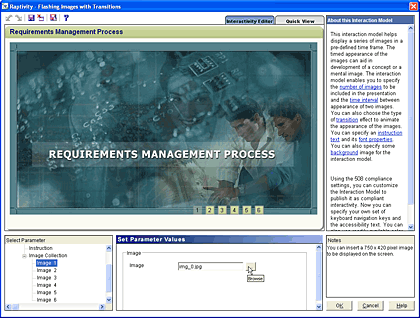
Read the Indezine review of Raptivity.
Filed Under:
Companion Programs
Tagged as: Companion, eLearning, Raptivity Presenter
Comments Off on Raptivity: Create Interactive E-learning Content
We were doing a review of a collection of music tracks for PowerPoint, and decided we did not want to explain the entire process of inserting sounds within PowerPoint slides on a review page. So, we did the next best thing: a new page in Indezine’s Learn section that shows you how you can insert sound within PowerPoint. This covers PowerPoint versions 97, 2000, 2002, and 2003.

Add audio to your slides in PowerPoint 2003 and 2002 for Windows.
Filed Under:
PowerPoint 2003
Tagged as: Audio, PowerPoint, Sounds, Tutorials

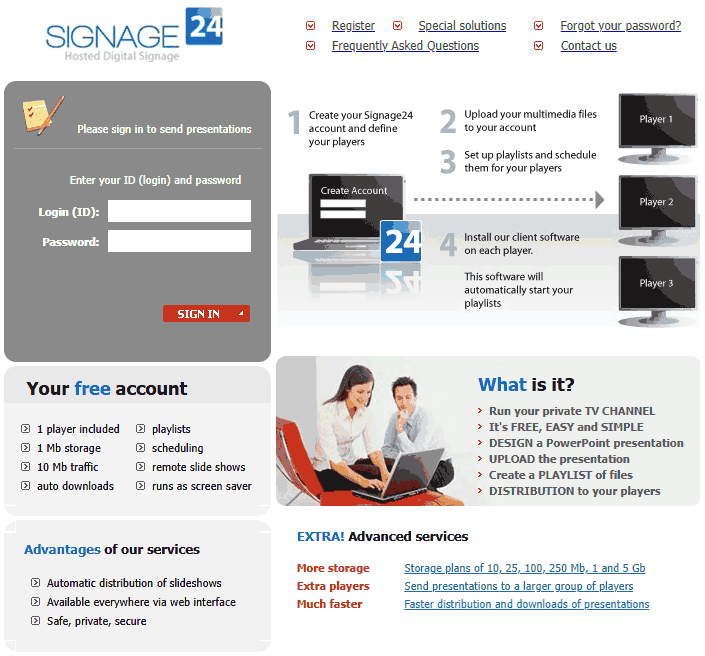
Signage24 is a new service site from PresentationPoint, creators of several PowerPoint add-ins. In this Indezine exclusive, Kurt Dupont who heads PresentationPoint discusses this new hosting service, and compares it to some not-so-similar offerings.
Geetesh: Tell us more about Signage24, and how did this evolve.
Kurt: Signage24 is a new online service from PresentationPoint. With Signage24, you can distribute your presentations (information, advertising, events etc) worldwide in order to run as an automated billboard. In the Audio Visual world this functionality is known as ‘digital signage.’
Just like Hotmail for email messages and hosting companies for websites, Signage24 is a hosted solution to upload your presentations to your company account, and schedule them to play on a given player or group of players. You can now design your advertising pages in Microsoft PowerPoint and distribute them automatically to your shops or POS systems.
The big advantage of digital signage and dynamic signage is that you can promote your products and offers much better. It makes for example no sense to promote a Scotch whisky in the morning. That is something you plan in the evening. In the morning you promote products like cereals and a healthy breakfast or lunch. So with digital signage, you can better target your audience — that will result in much more sales than before.
Currently our service works with Microsoft PowerPoint presentations only, but soon new players can be expected like Flash, MPG movies, images etc.
Geetesh: How is Signage24 different from other sharing platforms like SlideShare, YouTube, etc.
Kurt: It’s difficult to compare Signage24 with services like YouTube. Those services are interactive. Although it is a library of multimedia files, you always decide when and what to watch.
The service of Signage24 is also a system where you upload your files but in addition you set up your playlists and you specify when a playlist of presentations is shown at where and when. For the viewers of your playlist, there is no way to change that. If they look at a Signage24 monitor, they will see your advertising!
The views and opinions expressed in this blog post or content are those of the authors or the interviewees and do not necessarily reflect the official policy or position of any other agency, organization, employer, or company.
Filed Under:
Interviews
Tagged as: Digital Signage, Interviews, Kurt Dupont, PowerPoint, PresentationPoint
Comments Off on Signage24: Conversation with Kurt Dupont
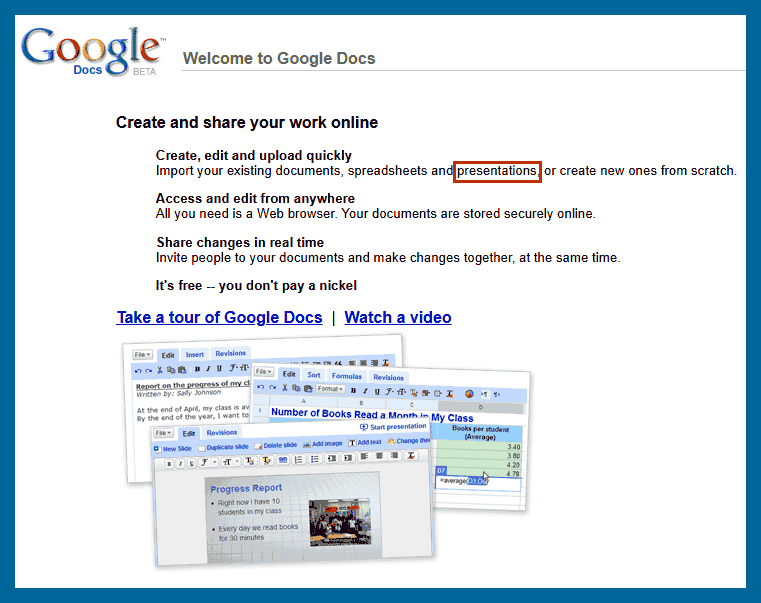
As if Microsoft didn’t have enough to worry about after the lukewarm response to Vista and Office 2007, Google’s free online office suite is set to do PowerPoint as well.
Code-named Google Presently, the presentation feature is set to become a part of Google Docs & Spreadsheets which, as the name suggests, currently offers document and spreadsheet editing. Users will be able to convert a document into a presentation, create slides, and view the presentation in full-screen, reports unofficial Google-watching blog Google Operating System.
Filed Under:
Companion Programs
Tagged as: Companion, Google, Google Slides, PowerPoint
Comments Off on Google Docs To Support PowerPoint
We have reviewed WildPresenter in the past—and rather than do the whole review again, we will explore the new features in this latest version of WildPresenter.
For those of you who don’t know what WildPresenter does, it is a product that allows you to import PowerPoint presentations. Thereafter, you can continue editing your presentation in an editing environment that’s so much like PowerPoint right down to the Slide Masters. Finally, WildPresenter allows you to output your project to a Flash SWF movie.
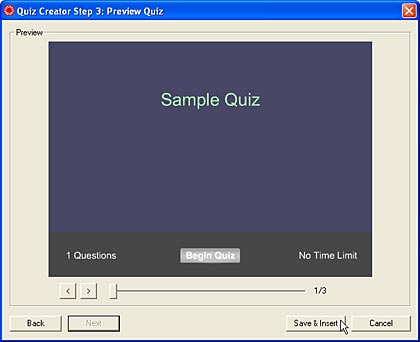
Read the Indezine review of WildPresenter Pro 3.
Filed Under:
Companion Programs
Tagged as: Companion, Flash, PowerPoint, WildPresenter
Comments Off on WildPresenter Pro 3 Review
Microsoft and the Office logo are trademarks or registered trademarks of Microsoft Corporation in the United States and/or other countries.