
This is the print version of this page. All content is copyright Indezine.com 2000-2026.
Thoughts and impressions of happenings in the world of PowerPoint and presentations, continuously updated since 2003.
See Also:
PowerPoint and Presenting Notes
PowerPoint and Presenting Glossary
If you use MathType with Word or PowerPoint and then upgrade to Office 2007, you will find that you no longer have the icons or buttons to insert a MathType equation in Word 2007 or PowerPoint 2007.
You’ll find instructions on bringing them back in Word 2007. The techniques work the same way for Excel 2007 and PowerPoint 2007.

Learn more on the Core Economics site.
Filed Under:
Microsoft Office
Tagged as: Add-in, MathType, Microsoft Office, PowerPoint 2007
Comments Off on Using MathType with Office 2007
Many of us find it easy to share photos online, but as far as PowerPoint files go, the more common option is to email PowerPoint as an attachment. However, PowerPoint files can be huge and can quickly fill up inbox and mail accounts. The product that we are reviewing today offers a solution — PPTshare Desktop Slide Library does more than allowing you to share your presentations, it also allows you to manage your presentations at the slide level and create new presentations from those slides without opening PowerPoint.

Read the Indezine review of PPTshare Desktop Slide Library.
Filed Under:
Add-ins
Tagged as: Add-in, James Ontra, PowerPoint
Comments Off on PPTshare Desktop Slide Library
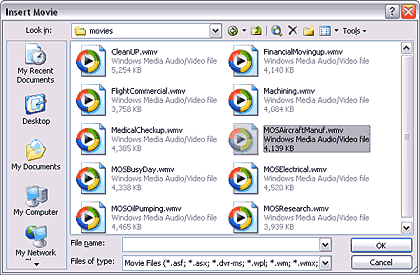
This new tutorial on inserting movies in PowerPoint slides complements the earlier tutorial on inserting sounds that we put up last week.
Filed Under:
PowerPoint 2003
Tagged as: Movies, PowerPoint, PowerPoint 2003, Tutorials, Video
Comments Off on Insert Movies in PowerPoint
Blue Pacific Software announced a completely free version of Rich Chart Live, their online charting program that lets you create and share your charts almost anywhere. You can also copy and paste some HTML code from within the online program to insert the charts in blogs and websites. The free version does place a small Rich Chart Live logo on the bottom-right corner of each generated chart.
Manuel Fernandes from Blue Pacific adds that this new release of Rich Chart Live was specially designed for bloggers: it is very easy to embed a Rich Chart in any blog, not to mention that it is free. Posting a Rich Chart in a blog or website is as easy as copy & pasting HTML.
The paid version of Rich Chart Live is still available, and there’s a significant price reduction on the subscription charge for that service.
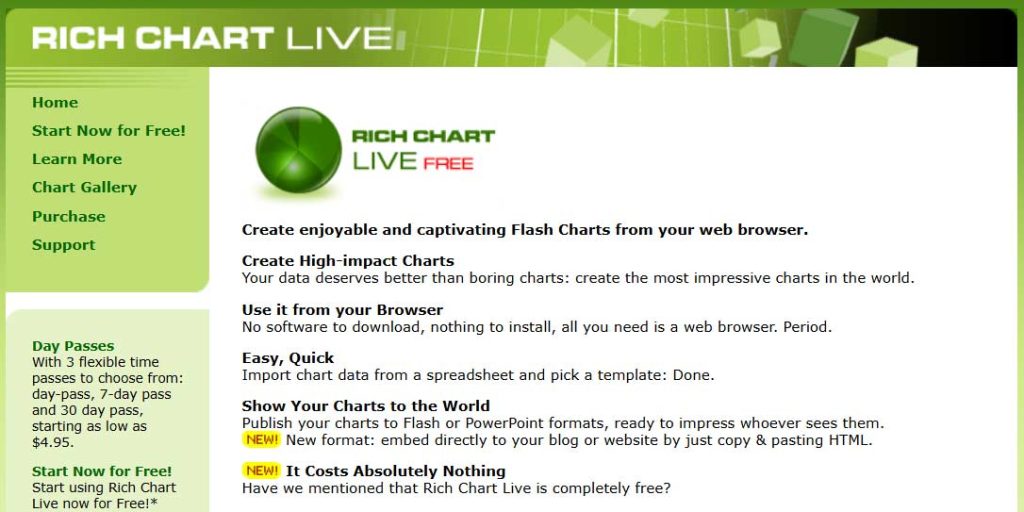
Check out more at the Rich Chart Live site.
You May Also Like: Rich Chart Live review
Filed Under:
Companion Programs
Tagged as: Charting, PowerPoint Flash
Comments Off on Rich Chart Live Now Offers Free Version
Do you like to insert music tracks in your PowerPoint slides? Or do you have serious doubts about the effectiveness of doing so? We know that many of you would love to use a collection of soft and understated royalty-free music tracks within your PowerPoint presentations — at least for some presentations if not all. And yet I know that there are some of you who are not ready to take the plunge and put in some music within a PowerPoint!
So, should you use music in a PowerPoint presentation or not? Colin Adams of Indigo Rose who creates the Liquid Cabaret collection of music tracks did say in an earlier blog post that “What’s the line? “Say it with music.” We think that a great presentation is enhanced by a great soundtrack. Whether you want to set a mood, match a “theme” or key concept in your presentation, or just add interest and make things more dynamic, music is the way to go”.

Read the Indezine review of Liquid Cabaret.
Filed Under:
Audio and Video
Tagged as: Audio, IndigoRose, Music, PowerPoint, Sounds
Comments Off on Liquid Cabaret: Music Tracks for PowerPoint
Microsoft and the Office logo are trademarks or registered trademarks of Microsoft Corporation in the United States and/or other countries.