
This is the print version of this page. All content is copyright Indezine.com 2000-2026.
Thoughts and impressions of happenings in the world of PowerPoint and presentations, continuously updated since 2003.
See Also:
PowerPoint and Presenting Notes
PowerPoint and Presenting Glossary
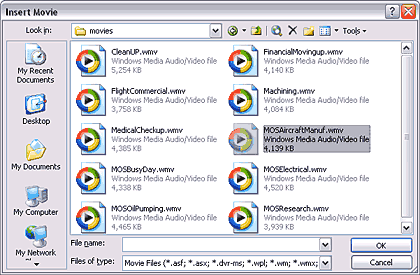
This new tutorial on inserting movies in PowerPoint slides complements the earlier tutorial on inserting sounds that we put up last week.
Filed Under:
PowerPoint 2003
Tagged as: Movies, PowerPoint, PowerPoint 2003, Tutorials, Video
Comments Off on Insert Movies in PowerPoint
Blue Pacific Software announced a completely free version of Rich Chart Live, their online charting program that lets you create and share your charts almost anywhere. You can also copy and paste some HTML code from within the online program to insert the charts in blogs and websites. The free version does place a small Rich Chart Live logo on the bottom-right corner of each generated chart.
Manuel Fernandes from Blue Pacific adds that this new release of Rich Chart Live was specially designed for bloggers: it is very easy to embed a Rich Chart in any blog, not to mention that it is free. Posting a Rich Chart in a blog or website is as easy as copy & pasting HTML.
The paid version of Rich Chart Live is still available, and there’s a significant price reduction on the subscription charge for that service.
Check out more at the Rich Chart Live site.
You May Also Like: Rich Chart Live review
Filed Under:
Companion Programs
Tagged as: Charting, PowerPoint Flash
Comments Off on Rich Chart Live Now Offers Free Version
Do you like to insert music tracks in your PowerPoint slides? Or do you have serious doubts about the effectiveness of doing so? We know that many of you would love to use a collection of soft and understated royalty-free music tracks within your PowerPoint presentations — at least for some presentations if not all. And yet I know that there are some of you who are not ready to take the plunge and put in some music within a PowerPoint!
So, should you use music in a PowerPoint presentation or not? Colin Adams of Indigo Rose who creates the Liquid Cabaret collection of music tracks did say in an earlier blog post that “What’s the line? “Say it with music.” We think that a great presentation is enhanced by a great soundtrack. Whether you want to set a mood, match a “theme” or key concept in your presentation, or just add interest and make things more dynamic, music is the way to go”.

Read the Indezine review of Liquid Cabaret.
Filed Under:
Audio and Video
Tagged as: Audio, IndigoRose, Music, PowerPoint, Sounds
Comments Off on Liquid Cabaret: Music Tracks for PowerPoint
One of the inherent advantages of eLearning is interactivity. However, creating interactive content requires oodles of creativity. It can also be plain challenging and difficult. And choosing an application to give shape to that creativity is another difficult choice to make.
Raptivity, one of the well-known e-learning creating applications provides a plethora of options and possibilities. In this review, we’ll explore Raptivity’s interface and capabilities.
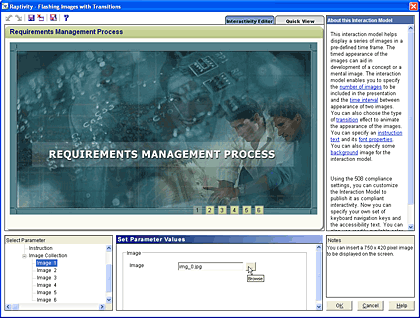
Read the Indezine review of Raptivity.
Filed Under:
Companion Programs
Tagged as: Companion, eLearning, Raptivity Presenter
Comments Off on Raptivity: Create Interactive E-learning Content
We were doing a review of a collection of music tracks for PowerPoint, and decided we did not want to explain the entire process of inserting sounds within PowerPoint slides on a review page. So, we did the next best thing: a new page in Indezine’s Learn section that shows you how you can insert sound within PowerPoint. This covers PowerPoint versions 97, 2000, 2002, and 2003.

Add audio to your slides in PowerPoint 2003 and 2002 for Windows.
Filed Under:
PowerPoint 2003
Tagged as: Audio, PowerPoint, Sounds, Tutorials
Microsoft and the Office logo are trademarks or registered trademarks of Microsoft Corporation in the United States and/or other countries.