
This is the print version of this page. All content is copyright Indezine.com 2000-2026.
Thoughts and impressions of happenings in the world of PowerPoint and presentations, continuously updated since 2003.
See Also:
PowerPoint and Presenting Notes
PowerPoint and Presenting Glossary
PowerPoint MVP Austin Myers has developed a step-by-step tutorial on inserting closed captioned video in PowerPoint.
Austin adds, As we build presentations with video, we often overlook the fact that many people suffer from a hearing loss and cannot hear the audio portion of the video. In the past, it wasn’t feasible to add closed captioning to video in PowerPoint because you could not place text “on top” of a running video from within PowerPoint. We recently found a method to change this and allow users to both create a closed-captioned video in PowerPoint and distribute it to others.

Filed Under:
Audio and Video
Tagged as: Austin Myers, Movies, Multimedia, PowerPoint, Tutorials, Video
Comments Off on Closed Captioned Video in PowerPoint
Microsoft announced that Office 2007 has been RTMed (Released to Manufacturing) — this means that the final copy has been released although it might be a while before it is actually available.
Microsoft announced today that it has completed the code for its 2007 Office system, a major overhaul for the best-selling productivity suite that includes Word, Excel, PowerPoint, Outlook, and a slew of other applications (depending on which version of the suite you buy). U.S. and Canadian customers can download a fully functioning 60-day trial of the suite starting on December 1.
Read more on the PC World site.

Microsoft announced this morning that Microsoft Office 2007 has been released to manufacturing, setting the stage for its shipping to corporate customers later this month, and to retail early next year.
This is probably the biggest change to Office since Office 95, nearly a dozen years ago. The family menu system has been replaced by the “ribbon” user interface, especially in Word, Excel, and PowerPoint. Microsoft is making a big bet on this new UI, as it makes all of these applications look very different.
But most of these aren’t new features at all; just old features that the ribbon makes easier to find. The problem, though, is that many people are resistant to change, and the ribbon interface does take some getting used to. After all, we’ve had the File, Edit, View, Window, and Help pull-down menus for a long time.
Read more on the PC Magazine site.
Filed Under:
PowerPoint 2007
Tagged as: Microsoft, Microsoft Office, Office, Office 2007, PowerPoint
Comments Off on Microsoft Announces RTM for Office 2007

About.com recently reviewed my book Cutting Edge PowerPoint for Dummies. Wendy Russell, who is the Presentation Software Guide at About.com says that the writing style is so easy going that you will enjoy the experience of just reading this book. The tips and tricks are invaluable for making a presentation that viewers will sit up and notice.
Filed Under:
Books
Tagged as: Book Review, Books, PowerPoint, Review
Comments Off on About.com Reviews Cutting Edge PowerPoint For Dummies
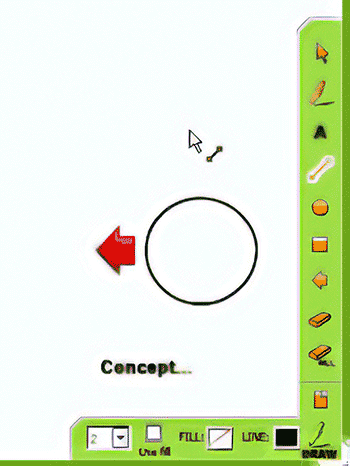
Vyew announced the public beta release of Vyew 2.0, a web conferencing and always-on collaboration platform that enables shared visual communication from any browser almost instantly without software installations. This is a major version released that includes several new and expanded features.
Filed Under:
Companion Programs
Tagged as: Companion, Conferencing, PowerPoint, Training, Whiteboard
Comments Off on Vyew 2.0 in Public Beta
Articulate has issued a free upgrade for Engage, their interaction creation tool for e-learning courses. This free upgrade addresses several minor issues.

Learn more on the Articulate site.
Filed Under:
Add-ins
Tagged as: Add-in, Articulate, Engage, Online Presentations, PowerPoint
Comments Off on Articulate Updates Engage
Microsoft and the Office logo are trademarks or registered trademarks of Microsoft Corporation in the United States and/or other countries.