
This is the print version of this page. All content is copyright Indezine.com 2000-2026.
Thoughts and impressions of happenings in the world of PowerPoint and presentations, continuously updated since 2003.
See Also:
PowerPoint and Presenting Notes
PowerPoint and Presenting Glossary
Two-dimensional imagery and design is part of PowerPoint – all sorts of tools and options enable you to create stunning presentations. Look beyond towards the third dimension and the lack of similar options becomes obvious. That’s where Perspector, a PowerPoint add-in that facilitates three-dimensional design within PowerPoint comes into the picture.

Filed Under:
Add-ins
Tagged as: 3D, Add-in, Perspector
Comments Off on Perspector for PowerPoint – 3D
Echo Swinford says: We occasionally see questions in the newsgroup about how to set default colors for Microsoft Graph. There’s no easy answer for this, so I recommend that you read through this information carefully.

Learn more with Echo in Color Schemes III.
Filed Under:
Color
Tagged as: Color Schemes, Echo Swinford
Comments Off on Color Schemes and Microsoft Graph
While mega-churches have led the postmodern charge for PowerPoint preaching, smaller and more traditional churches are now finding they also can make worship services and sermons more effective with graphic images. And technology is only half the battle.

More on the Church Central site.
Filed Under:
Thoughts
Tagged as: Church, PowerPoint, Worship
Comments Off on Technology for the Traditional Church
SmartDraw creates some of the best organizational charts we have seen. The new version 7 provides even more possibilities. In fact, SmartDraw now has a special Org Chart edition that you can download and use free for 30 days.

Organizational charts are also known as organization charts or org charts. They are essentially tree or hierarchical layouts that help understand the relationships between higher and lower levels. Such charts are normally used to present the divisions between personnel, departments, or even as family trees and mind maps.
Explore creating organizational charts using SmartDraw 7.
Filed Under:
Companion Programs
Tagged as: Organizational Charts, SmartDraw
Comments Off on Creating Organizational Charts in SmartDraw 7
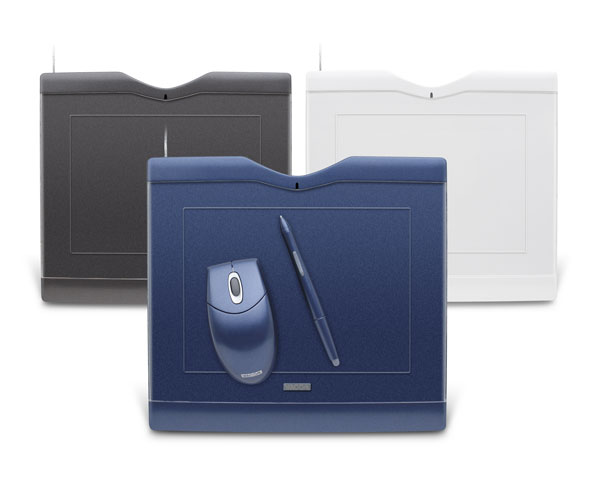
A Wacom tablet has long been an essential tool for graphic artists. Now the most important business applications are being designed to also benefit from the power of pen input. To get you started enjoying these great new capabilities, we have put together some fundamental information on using your Wacom tablet with Office XP, PowerPoint, and Acrobat.
Filed Under:
Hardware
Tagged as: Hardware, PowerPoint, Wacom
Comments Off on Using Wacom Tablets in Business Applications
Microsoft and the Office logo are trademarks or registered trademarks of Microsoft Corporation in the United States and/or other countries.