
This is the print version of this page. All content is copyright Indezine.com 2000-2026.
Thoughts and impressions of happenings in the world of PowerPoint and presentations, continuously updated since 2003.
See Also:
PowerPoint and Presenting Notes
PowerPoint and Presenting Glossary
You might want to look at Powerbullet, a free presentation program that outputs to the Flash SWF format. You can also use it to create quick menus and animations in Flash that can be used with PowerPoint.
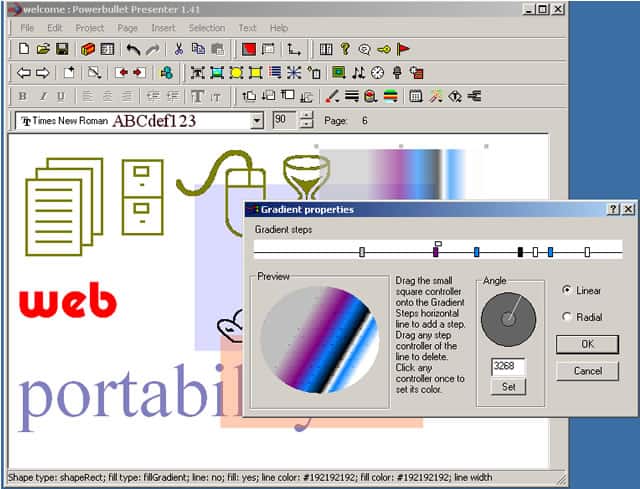
Update in 2018: Looks like the link no longer works. So, for those who want to know what it looked like back in 2003, we changed the link to the Wayback Machine.
Filed Under:
Companion Programs
Tagged as: Flash, PowerPoint Alternatives, SWF
Comments Off on Powerbullet
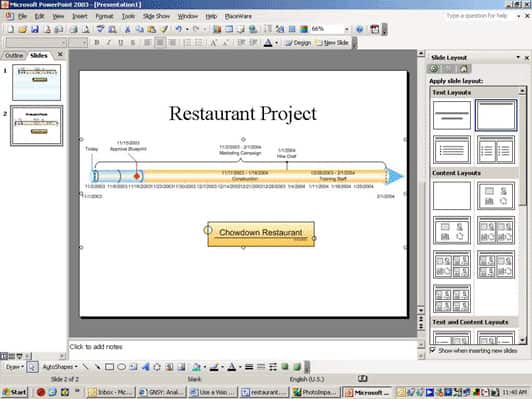
 Did you ever want to use a Visio timeline in PowerPoint, and wondered why there was no easy way to achieve what you wanted? After all, both Visio and PowerPoint are part of the Microsoft Office suite, and isn’t it obvious that Visio users will want to use their drawings in PowerPoint?
Yes, this can be a challenge. Well-known author, Tom Bunzel writes about what you need to do in his Using a Visio Timeline Diagram in PowerPoint article on the InformIT site.
This linked content is an excerpt from his book, Sams Teach Yourself Microsoft Office PowerPoint 2003 in 24 Hours.
Filed Under:
Miscellaneous
Tagged as: Diagrams, PowerPoint, Timeline, Tom Bunzel, Visio
Comments Off on Using a Visio Timeline Diagram in PowerPoint
All PowerPoint And Flash pages at Indezine have been redone and revamped with so much more info.
You now have 4 pages full of info on using Powerpoint and Flash together. Find them here.
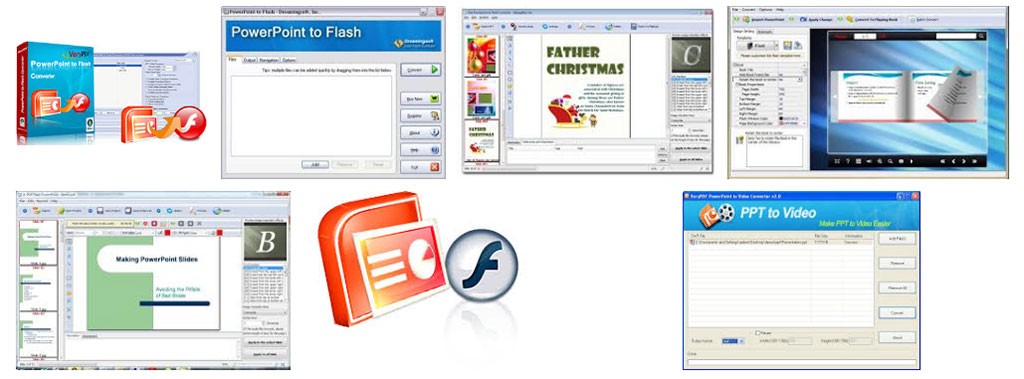
Update in 2018: PowerPoint conversion to Flash was the rage in 2003, and there were dozens of programs that helped you create interactive Flash movies from your PowerPoint slides. In fact, PowerPoint users even wanted Microsoft to add Flash export options within PowerPoint.
This is a far cry from the scene today when newbies don’t even know what Flash was (is?). Some say the decline of Flash started when Apple decided to not allow Flash runtimes on their iPhone (iOS) platform.
Filed Under:
Companion Programs
Tagged as: Flash, PowerPoint, PowerPoint Flash
Comments Off on PowerPoint and Flash Pages Revamped
We released the 33rd issue of the PowerPoint Ezine yesterday. Main topics covered in this issue include:

Read PowerPoint Ezine Issue 33 now.
Filed Under:
Ezine
Tagged as: Ezine, Indezine, News, PowerPoint
Comments Off on PowerPoint Ezine Issue 33
Amy Gahran makes her point on why you should stop putting your PowerPoint presentations online, although she does not touch the subject of ORM (Online Rich Media).
She says, “Here is one of my major online content peeves: why are some people compelled to put their PowerPoint slides on the Web? The vast majority of slide presentations are intended to support a live talk, and they make little or no sense out of that context!”
She further adds convincingly, “When content is so cryptic as to be frustrating, it’s anti-content. It undermines the goals of both the author and the reader.”
Read this post at the MarketingProfs site.
Update in 2018: For the uninitiated, Online Rich Media used to be another TLA (three-letter acronym) that’s almost forgotten now. That suggests Amy was right in her approach, so many years ago!

Image: StockUnlimited
Filed Under:
Thoughts
Tagged as: Amy Gahran, Online Presentations, Online Rich Media, Opinion
Comments Off on PowerPoint Presentations Online: No! Stop! Don’t!
Microsoft and the Office logo are trademarks or registered trademarks of Microsoft Corporation in the United States and/or other countries.