
This is the print version of this page. All content is copyright Indezine.com 2000-2026.
Thoughts and impressions of happenings in the world of PowerPoint and presentations, continuously updated since 2003.
See Also:
PowerPoint and Presenting Notes
PowerPoint and Presenting Glossary
We first feature Gavin McMahon of fassforward who talks about how business storytelling is not the same as conventional storytelling. We also feature David Blatner of CreativePro, who talks about the upcoming PowerPoint Presentation Design Deep Dive 2021, being held online on February 18–19 this year.
We then look at adding a cross mark or an X mark in PowerPoint versions on Windows. We also explore adding a check mark or a tick mark in PowerPoint versions on Windows, Mac, and the Web. We also bring you quotes, press releases, and templates from the last few days.

Stay informed about updated tutorials and happenings related to PowerPoint and presenting.
Filed Under:
Ezine
Tagged as: Ezine, Indezine, News, PowerPoint
Comments Off on PowerPoint and Presenting News: February 2, 2021
Do you want to insert a cross mark, which is also called an X mark, in your slides? Very often, this symbol indicates a task is canceled or a concept is negated or no longer applicable. You may want to add this symbol as part of your regular text in text placeholders and boxes, shapes, tables, and even charts. Fortunately, it is very easy to complete this task in most versions of PowerPoint for Mac. There may be slight differences, depending upon whether you are using a newer or older version of PowerPoint, but even then, the process is very similar. Using one of these options, you will be able to add a cross mark or an X mark in PowerPoint.
Learn how you can insert a cross mark or X mark in PowerPoint for Mac.
Filed Under:
PowerPoint 365
Tagged as: Character, Cross Mark, Mac, Office for Mac, PowerPoint for Mac, Symbol, Text, Tutorials, X Mark
Comments Off on Insert a Cross Mark or X Mark in PowerPoint for Mac

Bethany Auck owns and operates SlideRabbit, a presentation services boutique. Bethany has been sculpting presentation narrative and concepting visual aids since 2006, originally in service of large corporations and law firms for high-stakes corporate litigation. In 2012, Bethany founded SlideRabbit to bring high-quality presentation design and development to clients in all industries.
In this conversation, Bethany talks about her session(s) at the PowerPoint Presentation Design Deep Dive 2021 being held online on February 18–19 this year.
Indezine is a media partner for this event.
Filed Under:
Events
Tagged as: Bethany Auck, Events, Interviews, PPDDD
Comments Off on PowerPoint Presentation Design Deep Dive 2021: Conversation with Bethany Auck
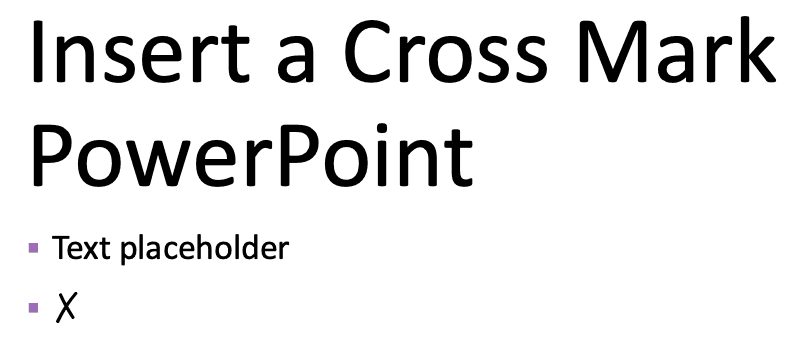
Do you want to insert a cross mark, which is also called an X mark, in your slides? Very often, this symbol indicates a task is canceled or a concept is negated or no longer applicable. You may want to add this symbol as part of your regular text in text placeholders and boxes, shapes, tables, and even charts. This task is very easy to complete in most versions of PowerPoint for Windows. There may be slight differences, depending upon whether you are using a newer or older version of PowerPoint, but even then, the process is very similar. Using one of these options, you will be able to add a cross mark or an X mark in PowerPoint.
Learn how you can insert a cross mark or X mark in PowerPoint for Windows.
Filed Under:
PowerPoint All Versions
Tagged as: Character, Cross Mark, Microsoft Windows, Office 365, PowerPoint 365, Symbol, Text, Tutorials, X Mark
Comments Off on Insert a Cross Mark or X Mark in PowerPoint for Windows

David Blatner is the CEO of CreativePro Network and the host of CreativePro Week and CreativePro.com. He has presented training on 5 continents over the past 30 years, and his books and videos have been read or viewed by millions of people.
In this conversation, David talks about PowerPoint Presentation Design Deep Dive 2021 being held online on February 18–19 this year.
Indezine is a media partner for this event.
Filed Under:
Events
Tagged as: David Blatner, Events, Interviews, PPDDD
Comments Off on PowerPoint Presentation Design Deep Dive 2021: Conversation with David Blatner
Microsoft and the Office logo are trademarks or registered trademarks of Microsoft Corporation in the United States and/or other countries.