
This is the print version of this page. All content is copyright Indezine.com 2000-2026.
Thoughts and impressions of happenings in the world of PowerPoint and presentations, continuously updated since 2003.
See Also:
PowerPoint and Presenting Notes
PowerPoint and Presenting Glossary
We begin by exploring how you can animate 3D models in PowerPoint without using the Morph transition effect. This can be done via the new 3D animations. We also explore the topic of finding fonts that PowerPoint substituted without asking you. And if you changed your slide size to end up with a deck that loses fonts, backgrounds, and colors, you’ll want to read how you can avoid this problem.
We look at creating PowerPoint Outlines in Notepad for Windows, and using Microsoft Word 2016 for Mac. PowerPoint 2016 for Mac users can explore Smart Dynamic Guides and Inserting a Text Box. PowerPoint Online users can find out the differences between Text Placeholders and Text Boxes. And if that wasn’t enough for this week, make sure you do not miss the quotes, press releases, and templates released in the last week.

Stay informed about updated tutorials and happenings related to PowerPoint and presenting.
Filed Under:
Ezine
Tagged as: Ezine, Indezine, News, PowerPoint
Comments Off on PowerPoint and Presenting News: October 16, 2018
The outline encompasses the text content within your presentation slides. In many ways, this text is the story or the structure of your presentation and forms an ideal starting point for a bunch of slides. PowerPoint can import outlines created in many applications, and we have already shown you how you can create outlines for PowerPoint presentations in various versions of Microsoft Word. In this tutorial, we will create the outline using Word Online, the browser-based version of Microsoft Word.

Filed Under:
PowerPoint All Versions
Tagged as: Outline, PowerPoint, Tutorials, Word
Comments Off on Creating PowerPoint Outlines in Word Online
 Ken Hilliard, is CEO of Power Digital Signage, and has over 35 years’ experience in the design and development of networked systems with an emphasis on distributed architecture. He worked as a software developer and consultant for companies as diverse as Microsoft, IBM, NSA and General Electric. He holds an undergraduate degree in electrical engineering and computer science.
In this conversation, Ken talks about PowerPlayer.
Filed Under:
Interviews
Tagged as: Digital Signage, Hardware, Interviews, Ken Hilliard, PowerPlayer, PowerPoint, Presentations
Comments Off on PowerPlayer PowerPoint Digital Signage: Conversation with Ken Hilliard
In PowerPoint, there are some differences between text placeholders and text boxes. As far as formatting for text placeholders and text boxes is concerned, almost everything else does work in the same way. However, there is one more vital difference between a text placeholder and a text box. You cannot insert text placeholders on a slide since they are part of the layout for your slide and already exist when you insert a new slide. Text boxes on the other hand need to be inserted manually. Follow these steps to learn how you can insert a text box in PowerPoint 2016 for Mac.

Learn how to insert a text box on a slide in PowerPoint 2016 for Mac.
Filed Under:
PowerPoint 2016
Tagged as: Mac, Office 2016, Office for Mac, PowerPoint 2016, PowerPoint for Mac, Text, Text Boxes, Tutorials
Comments Off on Inserting a Text Box in PowerPoint 2016 for Mac
PowerPoint has three types of text containers: Text Placeholders, Text Boxes, and Shapes. We explain Shapes in our comprehensive section on Shape tutorials. Let us now look at the other two text container types. Aren’t Text Placeholders and Text Boxes the same? Are they really different? And why should we bother even if they are different?
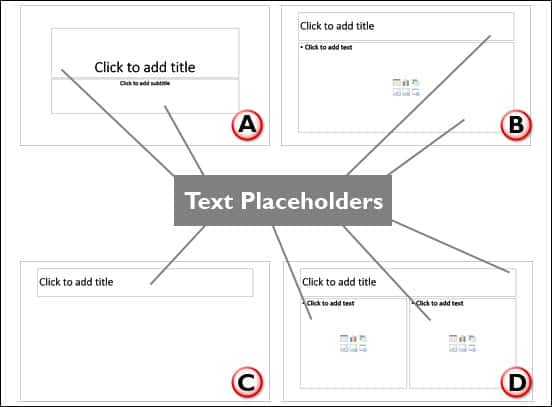
Learn about the differences between text placeholders and Text Boxes in PowerPoint Online.
Filed Under:
PowerPoint for the Web
Tagged as: PowerPoint for the Web, Text, Text Boxes, Text Placeholders, Tutorials
Comments Off on Text Placeholders vs. Text Boxes in PowerPoint Online
Microsoft and the Office logo are trademarks or registered trademarks of Microsoft Corporation in the United States and/or other countries.