
This is the print version of this page. All content is copyright Indezine.com 2000-2026.
Thoughts and impressions of happenings in the world of PowerPoint and presentations, continuously updated since 2003.
See Also:
PowerPoint and Presenting Notes
PowerPoint and Presenting Glossary
Everyone who uses PowerPoint has faced this situation: you know what you want to do with a slide or a slide object, but you don’t know where to find the related option in PowerPoint! PowerPoint 2016 for Windows has a feature called Tell Me that will tell you what you need to do! Tell Me is a text field that you can see in PowerPoint after the last Tab of the Ribbon.

Learn about the Tell Me feature in PowerPoint 2016 for Windows.
Filed Under:
PowerPoint 2016
Tagged as: Help, Interface, Microsoft Windows, Office 2016, PowerPoint 2016, Tutorials
Comments Off on Tell Me in PowerPoint 2016 for Windows
PowerPoint 2016 provides plenty of options to format Shape Outlines — this tutorial explores an attribute that’s rarely associated with shape outlines but can provide a surprisingly different look, especially when applied to lines that are thicker in weight. This attribute, Gradient Outlines is not accessible from the Shape Outline gallery in the Ribbon but directly from the Format Shape Task Pane that we will explore later on this page.
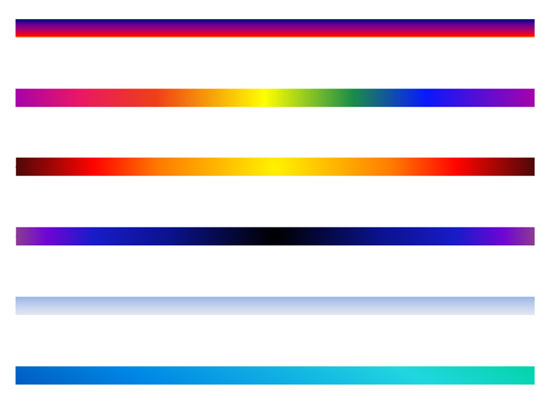
Learn how to apply gradients to outlines in PowerPoint 2016 for Windows.
Filed Under:
PowerPoint 2016
Tagged as: Gradients, Line, Microsoft Windows, Office 2016, Outline, PowerPoint 2016, Tutorials
Comments Off on Gradient Outlines in PowerPoint 2016 for Windows
PowerPoint provides two types of shapes: open and close shapes. Shapes, such as rectangles, circles, etc. are closed shapes. Regular line shapes, such as straight lines, curves, scribbles, etc. are open shapes. Arrowheads can be added only to open shapes. That’s because an arrow needs a pronounced, visible beginning and end.

Learn how to format arrowheads for lines in PowerPoint 2016 for Windows.
Filed Under:
PowerPoint 2016
Tagged as: Arrowheads, Arrows, Line, Microsoft Windows, Office 2016, Outline, PowerPoint 2016, Tutorials
Comments Off on Formatting Arrows (Arrowheads) in PowerPoint 2016 for Windows
Janet Giesen of discusses the new Shutterstock plugin for PowerPoint that lets you find and insert pictures right within PowerPoint. On our Timelines that are Different series, we look at our fifth different timeline graphic from PresentationLoad. Nova Fisher of Xara talks about the new Photo & Graphic Designer 365 product.
PowerPoint 2016 for Windows users can learn about nudging shapes, and also how you can convert text to shapes via the Intersect and Fragment options. We also explore the Eyedropper option that lets you copy fill colors. And then we show you how you can merge shapes and pictures together. Finally, do not miss the new press releases and templates of this week!

Read Indezine’s PowerPoint and Presenting News.
Filed Under:
Ezine
Tagged as: Ezine, Indezine, News, PowerPoint
Comments Off on PowerPoint and Presenting News: June 21, 2016
We have already explored how to format shape outlines and change their weight. In this tutorial, you will learn how to apply a Dash style to shape outline. A dashed line can have plenty of variations: from a line with fewer dashes to ones with longer or smaller dashes, or even alternating small and long dashes.
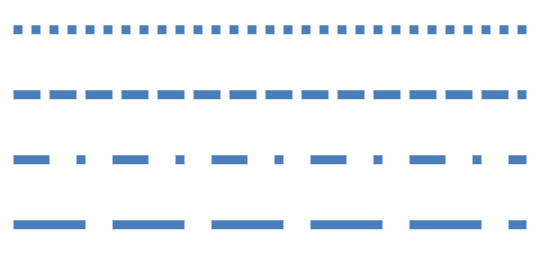
Learn how to apply the Dash attribute to shape outlines in PowerPoint 2016 for Windows.
Filed Under:
PowerPoint 2016
Tagged as: Dashes, Lines, Microsoft Windows, Office 2016, Outline, PowerPoint 2016, Shapes, Tutorials
Comments Off on Formatting Line Dashes for Shapes in PowerPoint 2016 for Windows
Microsoft and the Office logo are trademarks or registered trademarks of Microsoft Corporation in the United States and/or other countries.