
This is the print version of this page. All content is copyright Indezine.com 2000-2026.
Thoughts and impressions of happenings in the world of PowerPoint and presentations, continuously updated since 2003.
See Also:
PowerPoint and Presenting Notes
PowerPoint and Presenting Glossary
Social Share is a new add-in for PowerPoint that enables users to share their PowerPoint content on social media sites such as Twitter and Facebook. This sharing can be done right from within the PowerPoint interface. You can specify how your content should be shared: as an album, a photo, a photo snip, or as a video. Additionally, you can also create shareable links via OneDrive. Moreover, you can also track and respond to other social media users who comment, favorite, or interact with content that you share, all from within PowerPoint itself!

Explore the new Social Share add-in for PowerPoint.
Filed Under:
Reviews
Tagged as: Add-in, Facebook, PowerPoint, Review, Share, Social Media, Twitter
Comments Off on Social Share Add-in for PowerPoint
Slide Master view is an important view within PowerPoint 2016 for Windows. Why? Because, if you make any changes or edits within this view, these modifications will influence all slides within your presentation. For example, if you want to make your company logo appear on all the slides, you will have to add the logo within the Slide Master. If you want the font size of your slide titles to be a little larger or smaller, then those edits also need to be made in the Slide Master.

Learn about Slide Master view in PowerPoint 2016 for Windows.
You May Also Like: Handout Master View in PowerPoint 2016 for Windows | Notes Master View in PowerPoint 2016 for Windows | Slide Show View in PowerPoint 2016 for Windows
Filed Under:
PowerPoint 2016
Tagged as: Interface, Layouts, Microsoft Windows, Office 2016, PowerPoint 2016, Slide Layouts, Slide Master View, Slide Masters, Templates, Tutorials, View
Comments Off on Slide Master View in PowerPoint 2016 for Windows
Multiline typefaces typically have several parallel lines and are best suited for heading text. Even better, these work well when the text is placed above a picture or textured background, as long as the visual is not too crowded. Prisma, one of such fonts was created in the last century by Rudolf Koch, a German type designer.
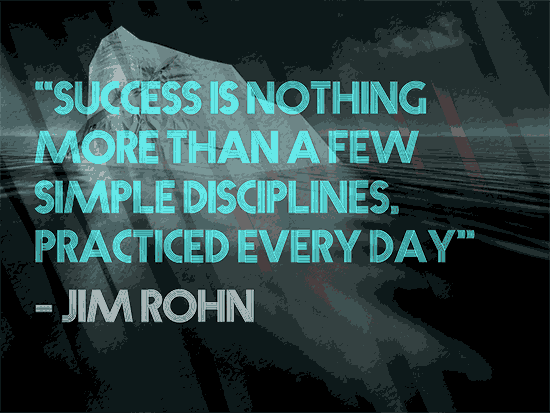
Explore Prisma, a font that you can use in your slides.
Filed Under:
Fonts
Tagged as: Design, Fonts, Ideas, Multiline Fonts, Presentation Samples, Prisma, Typography
Comments Off on Fonts for Presentations: Prisma
The repertoire of various views available in PowerPoint 2016 ranges from some views that you use all the time to others that you may have never bothered to explore. The latter category probably includes Reading view. Reading view is similar to Slide Show view in some ways because, in both views, the slide is shown in full-screen mode. However, in Reading view, you also see the PowerPoint title bar and the Status Bar at the top and bottom of the interface respectively. Additionally, you can also view the Windows taskbar at the bottom of the screen.

Learn about Reading view in PowerPoint 2016 for Windows.
You May Also Like:
Presenter View in PowerPoint 2016 for Windows
Normal View in PowerPoint 2016 for Windows
Outline View in PowerPoint 2016 for Windows
Filed Under:
PowerPoint 2016
Tagged as: Interface, Microsoft Windows, Office 2016, PowerPoint 2016, Reading View, Tutorials, View
Comments Off on Reading View in PowerPoint 2016 for Windows
We bring you an exclusive conversation with Victor Rodriguez of Made in Office. He talks about empower enterprise, their flagship content management system for PowerPoint. Taylor Croonquist talks about PowerPoint on Cruise Control, and some great tips that will save you so much time. Gil Segal discusses ToolsToo v6.2 for PowerPoint, an add-in that contains a bunch of easy to accomplish, time-saving options right within PowerPoint. And Keith Tromer talks about pptXTREME, a powerful suite of PowerPoint add-ins. He also demos some great video tutorials. We also talk about Office 365 subscriptions and look at Dubsmash, a fun program that can also be an awesome time waster!
We explore interface options in the new PowerPoint 2016. This week we look at PowerPoint 2016 Views and the Outline Pane. On Sway, we look at Group Cards. Finally, don’t miss the new discussions and templates of this week!

Read Indezine’s PowerPoint and Presenting News.
Filed Under:
Ezine
Tagged as: Ezine, Indezine, News, PowerPoint
Comments Off on PowerPoint and Presenting News: December 22, 2015
Microsoft and the Office logo are trademarks or registered trademarks of Microsoft Corporation in the United States and/or other countries.