
This is the print version of this page. All content is copyright Indezine.com 2000-2026.
Thoughts and impressions of happenings in the world of PowerPoint and presentations, continuously updated since 2003.
See Also:
PowerPoint and Presenting Notes
PowerPoint and Presenting Glossary
We all realize that nothing is really free in today’s world, yet we all look for free stuff all the time. Well, maybe we were partially wrong when we said “nothing is free,” because you can get a free, or at least a cheaper copy of PowerPoint and Microsoft Office. When we say free or cheap, we do not refer to bootlegged copies — but genuine, original software. Here are some options for you to get a free or cheaper copy of PowerPoint.
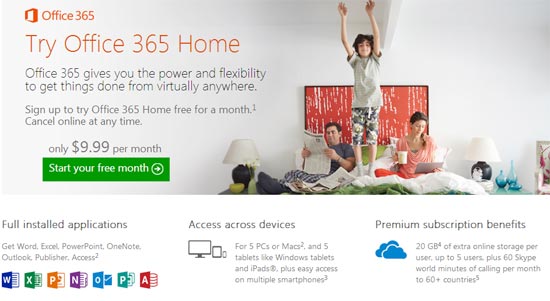
Learn how you can acquire a free or cheaper PowerPoint copy from Microsoft.
Filed Under:
PowerPoint All Versions
Tagged as: Microsoft Office, Microsoft Windows, Office for Mac, PowerPoint, PowerPoint for Mac, Tutorials
Comments Off on Get a Free or Cheaper Copy of Microsoft PowerPoint
Do you find the Group Cards option in Sway very useful? But you may have already added a bunch of Picture Cards and formatted them as required! Not to worry – a Group Card is just a group of your regular Cards in Sway, and you can take a bunch of your selected Picture Cards, and place them all within a new Group Card.

Explore how you can group your Cards in Sway.
Filed Under:
Sway
Tagged as: Cards, Group Cards, Media Cards, Online Presentations, Sway, Text Cards, Tutorials
Comments Off on Group Your Cards in Sway
We bring you an exclusive conversation with Susannah Shattuck of Prezi, who talks about the 2015 Prezi Awards. We then explore Prisma, a multiline font that can be used effectively in slides.
We explore interface options in the new PowerPoint 2016 for Windows. This week we look at Slide Sorter view, the Mini toolbar, Reading view, and Slide Master view. Finally, don’t miss the new discussions and templates of this week!

Read Indezine’s PowerPoint and Presenting News.
Filed Under:
Ezine
Tagged as: Ezine, Indezine, News, PowerPoint
Comments Off on PowerPoint and Presenting News: December 29, 2015
The second type within the Group Cards category in Sway is the Stack Group Card. This Card can only contain Picture Cards. You can add as many Pictures Cards as you want, and the resultant Stack Card renders as a conventional stack of pictures.

Explore how Stack Group Cards work in Sway.
Filed Under:
Sway
Tagged as: Group Cards, Pictures, Stack Group Card, Sway, Tutorials
Comments Off on Stack Group Cards in Sway
Handouts are documents you can print from within PowerPoint that include slide representations from your presentation. PowerPoint lets you include as many as 9 slides on each Handout page. Of course, with 9 slides on a page, your slides will look more like thumbnails. You can also choose to print just one slide on every handout page, so then your Handout pages will look like individual slides printed on a page.

Learn about the Handout Master view in PowerPoint 2016 for Windows.
You May Also Like:
Views in PowerPoint in PowerPoint 2016 for Windows
Slide Master View in PowerPoint 2016 for Windows
Presenter View in PowerPoint 2016 for Windows
Filed Under:
PowerPoint 2016
Tagged as: Handout Master, Interface, Masters, Microsoft Office, Microsoft Windows, Office 2016, PowerPoint 2016, Tutorials, View
Comments Off on Handout Master View in PowerPoint 2016 for Windows
Microsoft and the Office logo are trademarks or registered trademarks of Microsoft Corporation in the United States and/or other countries.