
This is the print version of this page. All content is copyright Indezine.com 2000-2026.
Thoughts and impressions of happenings in the world of PowerPoint and presentations, continuously updated since 2003.
See Also:
PowerPoint and Presenting Notes
PowerPoint and Presenting Glossary
As we all know, shapes can often look very similar to each other. This similarity can sometimes lead to us using the wrong shape for a project, which can be a huge time waster. For example, you may create a 5-pointed star when you need a star with 4 or 8 points. Or you may have worked on a shape and applied effects, animations, and fills to it, only to later realize that you used the wrong one or that the client wants a different shape. In cases like this, you may think it’s best to delete the existing shape and start over again. However, we’re here to tell you that there’s no need to do so! Why? That’s because there is an easier option to change existing shapes. Well, that’s not entirely true in PowerPoint for the Web, but with a little help from desktop versions on Windows or the Mac, you can do so!

Learn how to change one shape to another in PowerPoint for the Web.
Filed Under:
PowerPoint for the Web
Tagged as: Mac OS, Microsoft Windows, Office, Office for the Web, OneDrive, PowerPoint, PowerPoint for the Web, Shapes, Tutorials
Comments Off on Change One Shape to Another in PowerPoint for the Web
By Laura Autumn Cox, Toastmasters International
An ugly fusion of fever dream and blind date – that’s how many people feel about job interviews. According to recent research, 93% of interview candidates suffer interview anxiety at some point in their working lives. A lot can be riding on a job interview, so fear of rejection is understandable. But just 2% of candidates applying for jobs are selected for an interview, and for each vacancy, employers will interview an average of 6 candidates. So, if you’re attending a job interview, you’re already thought of more highly than a lot of other applicants. You’re part of an elite.

Image: Yay Images
Filed Under:
Guest Posts
Tagged as: Guest Post, Job Interviews, Toastmasters
Comments Off on If You Can Hold a Conversation, You Can Ace a Job Interview
Shapes can often look very similar to one another, which can lead to accidentally using the wrong shape for a project. With a little bit of knowledge, you can avoid these mistakes and save yourself time and frustration. For example, you may create a 5-pointed star when you need a star with 4 or 8 points. Or you may have worked on a shape and applied effects, animations, and fills to it, only to later realize that you used the wrong one or that the client wants a different shape. In cases like this, it’s best to delete the existing shape and start over again. Well, there is an easier option to change existing shapes.
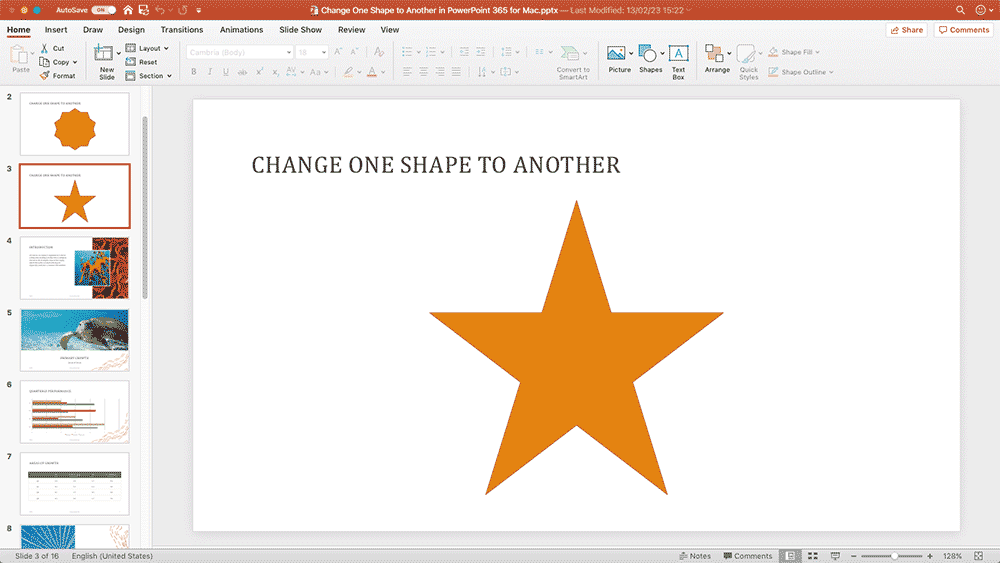
Learn how to change one shape to another in PowerPoint 365 for Mac.
Filed Under:
PowerPoint 365
Tagged as: Mac, Microsoft 365, Office 365, Office for Mac, PowerPoint 365, PowerPoint for Mac, Shapes, Tutorials
Comments Off on Change One Shape to Another in PowerPoint 365 for Mac
We first bring you an interview with John Korchok of Brandwares, who talks about his new Icon Gallery add-in for PowerPoint. We then bring you a special offer for the upcoming Present to Succeed online and in-person conference that is being held on April 28th, 2023.
PowerPoint 365 for Windows users can learn how they can change one shape to another without having to delete existing shapes and add new ones. PowerPoint for the Web users can learn how to flip shapes in their slides. We also bring you quotes, press releases, and templates from the last few days.

Stay informed about updated tutorials and happenings related to PowerPoint and presenting.
Filed Under:
Ezine
Tagged as: Ezine, Indezine, News, PowerPoint
Comments Off on PowerPoint and Presenting News: February 14, 2023
Like many things in life, shapes can often look very similar to one another. This can lead to accidentally using the wrong shape for a project, which can translate to loss of time and frustration. For example, you may create a 5-pointed star when you needed a star with 4 or 8 points. Or you may have worked on a shape and applied effects, animations, and fills to it, only to later realize that you used the wrong shape or that the client wants a different shape. In cases like this, you may think it’s best to delete the existing shape and start over again. Well, there is an easier option that changes existing shapes.

Learn how to change one shape to another in PowerPoint 365 for Windows.
Filed Under:
PowerPoint 365
Tagged as: Microsoft 365, Microsoft Windows, Office 365, PowerPoint 365, Shapes, Tutorials
Comments Off on Change One Shape to Another in PowerPoint 365 for Windows
Microsoft and the Office logo are trademarks or registered trademarks of Microsoft Corporation in the United States and/or other countries.