Interface Articles - Page 6 of 9


Slides Pane in PowerPoint 2016 for Mac Slides Pane in PowerPoint 2016 for Mac
November 30th, 2017


Outline Pane Options in PowerPoint 2016 for Mac Outline Pane Options in PowerPoint 2016 for Mac
November 23rd, 2017


Editing View (Normal View) in PowerPoint Online Editing View (Normal View) in PowerPoint for the Web
November 3rd, 2017


Mini Toolbar in PowerPoint Online Mini Toolbar in PowerPoint for the Web
November 2nd, 2017


Status Bar in PowerPoint Online Status Bar in PowerPoint for the Web
November 1st, 2017


Slide Area in PowerPoint Online Slide Area in PowerPoint for the Web
October 24th, 2017


Ribbons and Tabs in PowerPoint Online Ribbons and Tabs in PowerPoint for the Web
September 27th, 2017


File Menu and Backstage View in PowerPoint Online File Menu and Backstage View in PowerPoint for the Web
September 25th, 2017


Add Headers and Footers to Slides in PowerPoint 2016 for Windows Add Headers and Footers to Slides in PowerPoint 2016 for Windows
September 11th, 2017


New Tab Options in Backstage View in PowerPoint 2016 for Windows New Tab Options in Backstage View in PowerPoint 2016 for Windows
July 18th, 2017


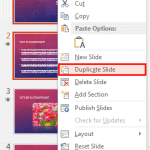
Duplicate Slides in PowerPoint 2016 for Windows Duplicate Slides in PowerPoint 2016 for Windows
February 2nd, 2017


Duplicate Slides in PowerPoint 2013 for Windows Duplicate Slides in PowerPoint 2013 for Windows
January 24th, 2017


Duplicate Slides in PowerPoint 2010 for Windows Duplicate Slides in PowerPoint 2010 for Windows
January 6th, 2017


Changing Interface Color in PowerPoint 2016 for Windows Changing Interface Color in PowerPoint 2016 for Windows
December 5th, 2016


Working with Custom Groups in Ribbon Tabs in PowerPoint 2010 for Windows Working with Custom Groups in Ribbon Tabs in PowerPoint 2010 for Windows
November 23rd, 2016


Reordering and Removing Ribbon Tabs in PowerPoint 2010 for Windows Reordering and Removing Ribbon Tabs in PowerPoint 2010 for Windows
November 22nd, 2016


New Tab Options in Backstage View in PowerPoint 2013 for Windows New Tab Options in Backstage View in PowerPoint 2013 for Windows
November 21st, 2016


Add and Rename Ribbon Tabs in PowerPoint 2010 for Windows Add and Rename Ribbon Tabs in PowerPoint 2010 for Windows
October 25th, 2016


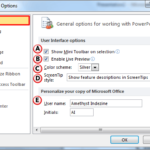
General Program Options in PowerPoint 2010 for Windows General Program Options in PowerPoint 2010 for Windows
October 21st, 2016


Hide/Unhide Slides in PowerPoint 2016 for Windows Hide/Unhide Slides in PowerPoint 2016 for Windows
October 20th, 2016


Hide and Unhide Slides in PowerPoint 2013 for Windows Hide and Unhide Slides in PowerPoint 2013 for Windows
October 19th, 2016


Backstage View – Program Options in PowerPoint 2010 for Windows Backstage View – Program Options in PowerPoint 2010 for Windows
September 30th, 2016


Backstage View – Help Options in PowerPoint 2010 for Windows
September 29th, 2016


Save and Send Tab in Backstage View in PowerPoint 2010 for Windows Save and Send Tab in Backstage View in PowerPoint 2010 for Windows
September 28th, 2016


Print Tab of Backstage View in PowerPoint 2010 for Windows Print Tab of Backstage View in PowerPoint 2010 for Windows
September 27th, 2016


Page 1 Page 4 Page 5 Page 6 Page 7 Page 8 Page 9


Microsoft and the Office logo are trademarks or registered trademarks of Microsoft Corporation in the United States and/or other countries.

Plagiarism will be detected by Copyscape

© 2000-2026, Geetesh Bajaj - All rights reserved.

since November 02, 2000