
 (No Ratings Yet)
 Loading...
The Ribbon that you see within the PowerPoint interface was designed to solve a problem. Older versions of PowerPoint that were populated with menus and toolbars ended with so many submenus and toolbars that many users did not know if a specific feature even existed in PowerPoint. Even worse, the toolbars could occupy so much screen real estate that you would be left with a much smaller area for your slide! Enter the Ribbon which did help resolve some of these problems, but it came with a problem of its own: it did not provide customization options when first introduced in PowerPoint 2007. This was quickly rectified in PowerPoint 2010 for Windows.

Learn to add and rename Ribbon tabs in PowerPoint 2010 for Windows.
Related Posts
 PowerPoint 2010 sports the Ribbon, which is tabbed, and each of these tabs contains a set of commands. By default, PowerPoint 2010 contains eight such...
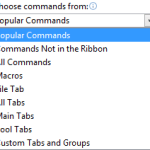 If you want to customize your Ribbon in PowerPoint, you'll want to add some of the commands that were not placed by default within any of the Ribbon t...
 All Ribbon tabs in PowerPoint 2010 may have any number of buttons that represent commands but they are not scattered all over the tab area. In fact, a...
 Why would anyone want to duplicate slides? There are many reasons to do so; you may want to such as to create another slide that is similar to what yo...