Office for Mac Articles - Page 11 of 28


Learn PowerPoint 2011 for Mac: Getting Started with Sections
February 5th, 2015


Learn PowerPoint 2011 for Mac: Flip and Rotate Picture Fills for Shapes
January 30th, 2015


Learn PowerPoint 2011 for Mac: Gradient Stops
January 27th, 2015


Learn PowerPoint 2011 for Mac: Sound Across Specific Slides
November 21st, 2014


Learn PowerPoint 2011 for Mac: Compress Pictures
November 4th, 2014


Learn PowerPoint 2011 for Mac: Reset Pictures
November 3rd, 2014


Learn PowerPoint 2011 for Mac: Playing Custom Shows
October 3rd, 2014


Learn PowerPoint 2011 for Mac: Creating Custom Slide Shows
October 1st, 2014


Learn PowerPoint 2011 for Mac: Fake Animate Tables
September 11th, 2014


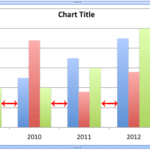
Learn PowerPoint 2011 for Mac: Adjust the Chart Series Overlap
September 10th, 2014


Learn PowerPoint 2011 for Mac: Add, Edit, or Delete Comments
July 3rd, 2014


Working with RGB Colors in PowerPoint 2011 for Mac Working with RGB Colors in PowerPoint 2011 for Mac
June 26th, 2014


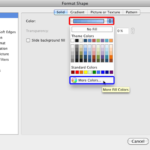
Learn PowerPoint 2011 for Mac: Creating Curved Shapes
June 18th, 2014


Learn PowerPoint 2011 for Mac: Recolor Picture Backgrounds
June 12th, 2014


Learn PowerPoint 2011 for Mac: Change the Default Theme
April 25th, 2014


Learn PowerPoint 2011 for Mac: Identify the Active Theme
April 23rd, 2014


Learn PowerPoint 2011 for Mac: Adjust the Chart Gap Width Learn PowerPoint 2011 for Mac: Adjust the Chart Gap Width
April 18th, 2014


Learn PowerPoint 2011 for Mac: Pattern Fills for Plot Area of Charts
April 16th, 2014


Learn PowerPoint 2011 for Mac: Texture Fills for Plot Area of Charts
April 14th, 2014


Learn PowerPoint 2011 for Mac: Picture Fills for Plot Area of Charts
April 10th, 2014


Learn PowerPoint 2011 for Mac: Apply Gradient Fills to Plot Area of Charts
April 8th, 2014


Learn PowerPoint 2011 for Mac: Apply Solid Color Fills to Plot Area of Charts
April 4th, 2014


Learn PowerPoint 2011 for Mac: Apply Fills to Plot Area of Charts
April 2nd, 2014


Learn PowerPoint 2011 for Mac: Troubleshooting Menu Activation Learn PowerPoint 2011 for Mac: Troubleshooting Menu Activation
March 28th, 2014


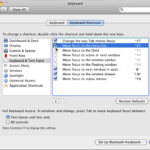
Learn PowerPoint 2011 for Mac: Keyboard Sequences
March 27th, 2014


Page 1 Page 9 Page 10 Page 11 Page 12 Page 13 Page 28


Microsoft and the Office logo are trademarks or registered trademarks of Microsoft Corporation in the United States and/or other countries.
Plagiarism will be detected by Copyscape

© 2000-2026, Geetesh Bajaj - All rights reserved.

since November 02, 2000