Tutorials Articles - Page 83 of 115


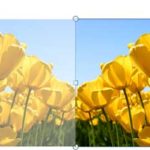
Learn PowerPoint 2010 for Windows: Group Pictures
December 13th, 2012


Learn PowerPoint 2011 for Mac: Chart Styles Learn PowerPoint 2011 for Mac: Chart Styles
December 12th, 2012


Learn PowerPoint 2010 for Windows: Align and Distribute Pictures
December 11th, 2012


Learn PowerPoint 2013 for Windows: Manage and Remove Connected Services
December 10th, 2012


Learn PowerPoint 2011 for Mac: Inserting Charts
December 10th, 2012


Learn PowerPoint 2010 for Windows: Resize, Rotate, and Flip Pictures Learn PowerPoint 2010 for Windows: Resize, Rotate, and Flip Pictures
December 7th, 2012


Learn PowerPoint 2011 for Mac: Change Text Case Learn PowerPoint 2011 for Mac: Change Text Case
December 6th, 2012


Learn PowerPoint 2010 for Windows: Change Picture
December 5th, 2012


Learn PowerPoint 2011 for Mac: Set as Default Text Box
December 4th, 2012


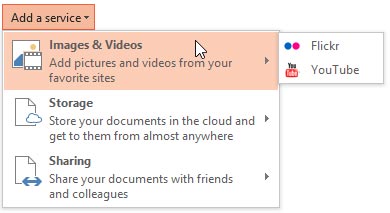
Learn PowerPoint 2013 for Windows: Add Services Learn PowerPoint 2013 for Windows: Add Services
December 3rd, 2012


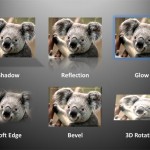
Learn PowerPoint 2010 for Windows: Picture Effects Learn PowerPoint 2010 for Windows: Picture Effects
December 3rd, 2012


Learn PowerPoint 2011 for Mac: Resize Text Boxes Accurately
November 30th, 2012


Learn PowerPoint 2010 for Windows: Picture Borders
November 29th, 2012


Learn PowerPoint 2011 for Mac: Reposition Text Boxes Accurately
November 28th, 2012


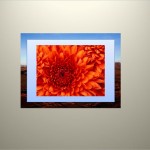
Learn PowerPoint 2010 for Windows: Picture Styles
November 27th, 2012


Learn PowerPoint 2013 for Windows: Office Background Learn PowerPoint 2013 for Windows: Office Background
November 26th, 2012


Learn PowerPoint 2011 for Mac: Columns within Text Containers
November 26th, 2012


Learn PowerPoint 2010 for Windows: Reposition Picture Fills with Crop Learn PowerPoint 2010 for Windows: Reposition Picture Fills with Crop
November 23rd, 2012


Learn PowerPoint 2011 for Mac: Internal Margin Options
November 22nd, 2012


Learn PowerPoint 2010 for Windows: Crop Pictures (Crop to Shape)
November 21st, 2012


Learn PowerPoint 2011 for Mac: Text Layout Options
November 20th, 2012


Learn PowerPoint 2013 for Windows: Changing Interface Color Learn PowerPoint 2013 for Windows: Changing Interface Color
November 19th, 2012


Learn PowerPoint 2010 for Windows: Crop Pictures
November 19th, 2012


Learn PowerPoint 2011 for Mac: Resize Text Boxes Learn PowerPoint 2011 for Mac: Resize Text Boxes
November 16th, 2012


Learn PowerPoint 2010 for Windows: Artistic Effects for Pictures Learn PowerPoint 2010 for Windows: Artistic Effects for Pictures
November 15th, 2012


Page 1 Page 81 Page 82 Page 83 Page 84 Page 85 Page 115


Microsoft and the Office logo are trademarks or registered trademarks of Microsoft Corporation in the United States and/or other countries.

Plagiarism will be detected by Copyscape

© 2000-2026, Geetesh Bajaj - All rights reserved.

since November 02, 2000