
First of all, this is not a tutorial. Rather, it is a walkthrough that shows proof of concept of integrating a Microsoft Access database within a PowerPoint slide. What’s more? The sample presentation that has been provided lets you use any Access database as the source for your presentation slides!
You can download the sample presentation and database files. You will need to have both Microsoft Access and PowerPoint installed on the same system for this to work. Also, it works best if versions of both the products are identical, as in PowerPoint 2003 and Access 2003 or PowerPoint 2007 and Access 2007.

Integrate a Microsoft Access database in PowerPoint 2007, 2003, and 2002 for Windows..
Related Posts
 After finding that Themes saved in Theme Builder were not working in PowerPoint 2010 (Windows) and 2011 (Mac), we decided to explore the issue further...
-
We have seen strange things happening with Theme Builder and how it plays with PowerPoint 2010 (and PowerPoint 2011 for Mac). For some reason, Theme B...
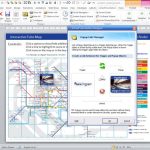 Here’s a convention-challenging thought. PowerPoint isn’t here to create presentations! At least not exclusively, anyway. Jamie read a lot of articles...
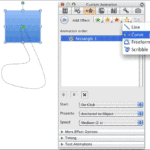 Microsoft's new Service Pack 2 update for Microsoft Office 2008 for the Mac has ushered in improvements that are a pleasant surprise. Topping the list...