
Combine Shapes are a set of four hidden commands in PowerPoint 2010 that are not available by default from any of the Ribbon tabs. With the capabilities of these powerful commands, you can edit and even combine shapes to create your own shapes!

You May Also Like:
Shape Combine Command in PowerPoint 2010 for Windows
Shape Intersect Command in PowerPoint 2010 for Windows
Shape Subtract Command in PowerPoint 2010 for Windows
Shape Union Command in PowerPoint 2010 for Windows
Related Posts
 PowerPoint 2010 sports the Ribbon, which is tabbed, and each of these tabs contains a set of commands. By default, PowerPoint 2010 contains eight such...
 The Ribbon that you see within the PowerPoint interface was designed to solve a problem. Older versions of PowerPoint that were populated with menus a...
 Why would anyone want to duplicate slides? There are many reasons to do so; you may want to such as to create another slide that is similar to what yo...
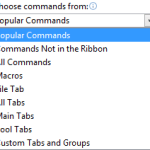 If you want to customize your Ribbon in PowerPoint, you'll want to add some of the commands that were not placed by default within any of the Ribbon t...