
It’s easy to duplicate shapes by dragging, but while that’s a nice way to duplicate five or ten shapes, it’s not the best way to create ten, twenty, or more copies. We all know that you can press Ctrl + C to copy any shape in PowerPoint to the clipboard, and a resulting Ctrl + V always pastes a copy from the clipboard to the slide — what many people don’t realize is PowerPoint has this almost supernatural keyboard shortcut called Ctrl + D (yes, the D stands for duplicate), and this Ctrl + D shortcut does more than just duplicate; in fact it creates a pattern of evenly-spaced and symmetrical shapes!

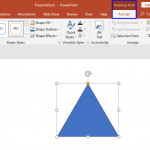
Learn how to duplicate shapes using the Ctrl+D command in PowerPoint 2016 for Windows.
Related Posts
 Shapes in PowerPoint are very useful in representing design or content, or in showing a process or a sequence. However, when you create a slide that h...
 Shapes in PowerPoint are very useful in representing design or content, or in showing a process or a sequence. However, when you create a slide that h...
 When you insert a new shape on a slide in PowerPoint 2016 (or in any previous version), by default it is filled with a solid color and an outline (or ...
 All slides within PowerPoint are based on one of the available Slide Layouts. These layouts can be chosen when you add a new slide or you can even cha...