March 2018 Content


Monthly Archives: March 2018

Browse posts released in March 2018. See all archives.

See Also:
PowerPoint and Presenting Notes
PowerPoint and Presenting Glossary


Reversing Paths of Motion Path Animations in PowerPoint 2016 for Windows March 30th, 2018
Reversing Paths of Motion Path Animations in PowerPoint 2016 for Windows


Change Background Styles in the Slide Master in PowerPoint 2016 for Mac March 29th, 2018
Change Background Styles in the Slide Master in PowerPoint 2016 for Mac


Jamie Garroch March 28th, 2018
PPT2GIFa Lite: Conversation with Jamie Garroch


Account Option in Backstage View in PowerPoint 2016 for Windows March 28th, 2018
Account Option in Backstage View in PowerPoint 2016 for Windows


Obama 356133 March 27th, 2018
PowerPoint and Presenting News: March 27, 2018


Sign Out and Switch Accounts in PowerPoint 2016 for Windows March 27th, 2018
Sign Out and Switch Accounts in PowerPoint 2016 for Windows


Export Option in Backstage View in PowerPoint 2013 for Windows March 27th, 2018
Export Option in Backstage View in PowerPoint 2013 for Windows


Kurt Dupont March 26th, 2018
PowerPoint Dashboards: Conversation with Kurt Dupont


Drawing Custom Paths for Motion Path Animations in PowerPoint 2016 for Windows March 26th, 2018
Drawing Custom Paths for Motion Path Animations in PowerPoint 2016 for Windows


Getting Started with Motion Path Animations in PowerPoint 2016 for Windows March 23rd, 2018
Getting Started with Motion Path Animations in PowerPoint 2016 for Windows


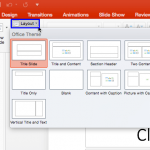
Change Slide Layout in PowerPoint 2016 for Mac March 22nd, 2018
Change Slide Layout in PowerPoint 2016 for Mac


Here’s How President Obama Gave Stellar Inspirational Speeches March 21st, 2018
Here’s How President Obama Gave Stellar Inspirational Speeches


Alan Gurney March 20th, 2018
PowerPoint and Presenting News: March 20, 2018


Export Option in Backstage View in PowerPoint 2016 for Windows March 20th, 2018
Export Option in Backstage View in PowerPoint 2016 for Windows


Motion Path Animations in PowerPoint 2016 for Windows March 19th, 2018
Motion Path Animations in PowerPoint 2016 for Windows


Animation Speed in PowerPoint 2016 for Windows March 16th, 2018
Animation Speed in PowerPoint 2016 for Windows


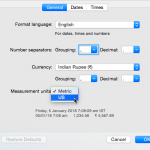
Change the Unit Of Measurement in Mac OS X March 15th, 2018
Change the Unit Of Measurement in Mac OS X


Animation Events in PowerPoint 2016 for Windows March 14th, 2018
Animation Events in PowerPoint 2016 for Windows


Freedom from Insecurities 40218 March 13th, 2018
PowerPoint and Presenting News: March 13, 2018


Reorder Animations in PowerPoint 2016 for Windows March 13th, 2018
Reorder Animations in PowerPoint 2016 for Windows


Alan Gurney March 12th, 2018
Neuxpower NXPowerLite Desktop 8: Conversation with Alan Gurney


Exit Animations in PowerPoint 2016 for Windows March 12th, 2018
Exit Animations in PowerPoint 2016 for Windows


Emphasis Animations in PowerPoint 2016 for Windows March 9th, 2018
Emphasis Animations in PowerPoint 2016 for Windows


Guides in PowerPoint 2016 for Mac March 8th, 2018
Guides in PowerPoint 2016 for Mac


Entrance Animations in PowerPoint 2016 for Windows March 7th, 2018
Entrance Animations in PowerPoint 2016 for Windows


Popular Posts

Ampler Kristian Johansen Ampler: Conversation with Kristian Johansen

Kristian Johansen is CEO and founder of Ampler, an integrated productivity platform for Microsoft Office. Ampler enables users to work faster, easier, and more efficiently in PowerPoint, Word, and Excel, and includes a series of tools that can be integrated into existing Office installations. Kristian has a background as a management consultant from Bain & ...


Presentation Summit 2026: Conversation with John Polk Presentation Summit 2026: Conversation with John Polk

Conversation with John Polk on AI‑powered presentation design, POWER prompts, and insights from his Presentation Summit 2026 session.


Presentation Summit 2026: Conversation with Troy Chollar Presentation Summit 2026: Conversation with Troy Chollar

Interview with Troy Chollar on workflow, animation clarity, and presentation design for Presentation Summit 2026.


Page 1 Page 2


Microsoft and the Office logo are trademarks or registered trademarks of Microsoft Corporation in the United States and/or other countries.

Plagiarism will be detected by Copyscape

© 2000-2026, Geetesh Bajaj - All rights reserved.

since November 02, 2000