
The font typeface, styles, and even the size for text in your presentation are dictated by the active Theme or Theme Fonts set. You can certainly override these defaults, and select another font typeface and also change the font size. Beyond changing the typeface and size, you can also make a certain word or phrase stand apart by formatting it bold, italic, underlined, etc. Typically, text is formatted bold to attract attention; and italicized to add emphasis or to mark foreign words. You can also underline, and even strike through any selected text. All these format choices such as bold, italics, underline, strikethrough, etc. are part of a larger font formatting feature called Font Styles.
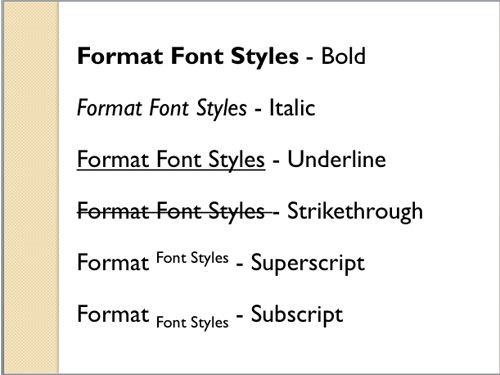
Learn about applying various font styles in PowerPoint 2011 for Mac.
Related Posts
 We have already explored how you can format font styles to make your text bold, italicized, underlined, etc. Beyond these basic offerings, PowerPoint ...
 Any font typeface that you use in your presentation should always support the purpose of your presentation. Most of the time, you may be constrained b...
 The default appearance of your text in PowerPoint depends upon its font type and size. By default, these choices are based on the Theme which is appli...
 As discussed in our Sharing and Deleting Custom Theme Fonts in PowerPoint 2008 and 2011 for Mac tutorial, you cannot create your own Theme Fonts sets ...