
 (1 votes, average: 5.00 out of 5)
 Loading...
So, what exactly does grouping within PowerPoint mean? And what are the ungrouping and regrouping options meant to do further? The moment you select a slide object such as a shape on a PowerPoint slide, you will see some selection handles that indicate the shape is selected. Select another shape while the first one is still selected, and you see two sets of selection handles. If you need to similarly select many shapes on a slide often, this sort of selection may become cumbersome and waste so much time. In that case, it’s best you select all the shapes you need to work with, and then combine them into one “group” of shapes.
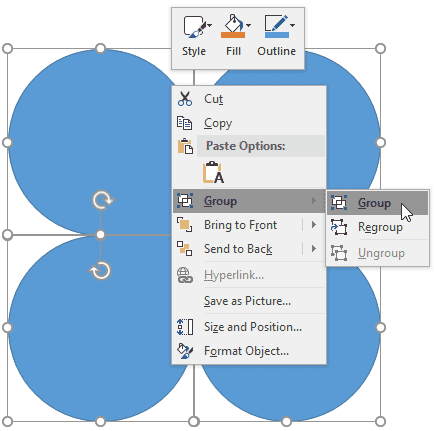
Learn how to group, ungroup, and regroup shapes in PowerPoint 2016 for Windows.
Related Posts
 When you insert a new shape on a slide in PowerPoint 2016 (or in any previous version), by default it is filled with a solid color and an outline (or ...
 PowerPoint's fill, line, and effect attributes enable you to customize the look of shapes and other slide objects in your presentation. However, it ma...
 When you insert a video clip within a PowerPoint slide, you'll find it placed as a traditional rectangular shape. And while that's what most users exp...
 Once you insert a SmartArt graphic within PowerPoint (or convert some bulleted text to SmartArt), you may want to add more shapes to your SmartArt gra...