
If you have seen a couple of Sways, you will know that how you move from one Card to another can differ. In some Sways, you move from left to right. In others, you move from top to bottom. You can control these options within your Sways, as we will explore within this tutorial.

Learn how the Navigation option works in Microsoft Sway.
Related Posts
 Cards in Sway are essentially containers for your content. To place your Twitter content in Sway, or even a tweet from someone else, you will first ne...
 Sway is more than just a new way to create presentations; it is a liberating experience that lets you play and work at the same time. Yes, you would e...
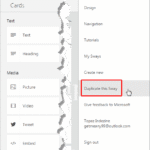 Sway is a fantastic tool to create presentations, but let’s face the fact—no Sway file sits on your computer or backup device that you can revert to i...
 What if you have shared your Sway with several people, and now, for some reason, you want to stop sharing the Sway with some or all Authors? If you ar...