Geetesh Bajaj, Author - Page 199 of 247


Author Archives: Geetesh Bajaj

Browse posts authored by Geetesh Bajaj.

See Also:
PowerPoint and Presenting Notes
PowerPoint and Presenting Glossary


Tim James August 27th, 2010
SlideDynamic: Conversation with Tim James


Working With Slide Numbers in PowerPoint 2010, 2007, 2003 and 2002 for Windows August 27th, 2010
Working With Slide Numbers in PowerPoint 2010, 2007, 2003 and 2002 for Windows


Quick Access Toolbar in PowerPoint 2010 for Windows August 27th, 2010
Quick Access Toolbar in PowerPoint 2010 for Windows


authorSTREAM Million August 26th, 2010
authorSTREAM Million Members: Conversation with Harman Singh


Open and Close Tabs of Backstage View in PowerPoint 2010 for Windows August 26th, 2010
Open and Close Tabs of Backstage View in PowerPoint 2010 for Windows


Using the Presentation Companion from PowerPoint Mobile August 25th, 2010
Using the Presentation Companion from PowerPoint Mobile


File Types That Can be Opened in PowerPoint 2010 for Windows August 25th, 2010
File Types That Can be Opened in PowerPoint 2010 for Windows


Scratch Card to Win August 25th, 2010
Animated Slides: Scratch Card


Airport Flight Schedule Counter August 24th, 2010
Animated Slides: Airport Flight Schedule Counter


File Formats in PowerPoint 2010 for Windows August 23rd, 2010
File Formats in PowerPoint 2010 for Windows


File Menu and Backstage View in PowerPoint 2010 for Windows August 21st, 2010
File Menu and Backstage View in PowerPoint 2010 for Windows


Chart Legend in PowerPoint August 19th, 2010
Chart Legend in PowerPoint


Chart Elements in PowerPoint 2010 for Windows August 19th, 2010
Chart Elements in PowerPoint 2010 for Windows


Chart Styles in PowerPoint 2010 for Windows August 18th, 2010
Chart Styles in PowerPoint 2010 for Windows


Inserting Charts in PowerPoint 2010 for Windows August 18th, 2010
Inserting Charts in PowerPoint 2010 for Windows


Inserting a New Slide in PowerPoint 2010 for Windows August 17th, 2010
Inserting a New Slide in PowerPoint 2010 for Windows


Interface in PowerPoint 2010 for Windows August 17th, 2010
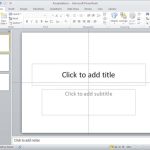
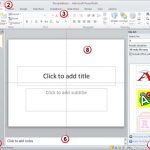
Interface in PowerPoint 2010 for Windows


Create Twitter Backgrounds Using PowerPoint August 13th, 2010
Create Twitter Backgrounds Using PowerPoint


Lin Jie August 13th, 2010
Addintools Classic Menu: Conversation with Lin Jie


PowerPoint Repurposing August 12th, 2010
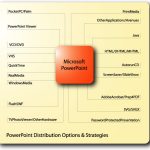
PowerPoint Repurposing


Ray Huang August 12th, 2010
i-Clickr PowerPoint Remote: Conversation with Ray Huang


Fading Squares Animated PowerPoint August 10th, 2010
Concept Slides: Fading Squares Animated PowerPoint


Sabra Larkin August 10th, 2010
Spence-Chapin Brainshark Program: Conversation with Sabra Larkin


Zoom in Zoom Out Credits August 6th, 2010
Concept Slides: Zoom in Zoom Out Credits


Benjamin Radclyffe August 5th, 2010
PowerQuizPoint: Conversation with Benjamin Radclyffe


Popular Posts

Ampler Kristian Johansen Ampler: Conversation with Kristian Johansen

Kristian Johansen is CEO and founder of Ampler, an integrated productivity platform for Microsoft Office. Ampler enables users to work faster, easier, and more efficiently in PowerPoint, Word, and Excel, and includes a series of tools that can be integrated into existing Office installations. Kristian has a background as a management consultant from Bain & ...


Pecha Kucha Tips 10 Tips for Pecha Kucha

A few days ago, our PowerPoint and Presenting Stuff LinkedIn group had a great discussion on Pecha Kucha. It started with one of our members asking for some guidance on how to go about preparing for a Pecha Kucha presentation. To those of you who do not know what Pecha Kucha is, it is a ...


Ten Fingers Hands Ten Easy Topics for Pecha Kucha

We have so many interactive and communicative visitors on Indezine.com. They get in touch via email, or the feedback forms, or via our chat applet, and even through our LinkedIn and Facebook communities. One question that has come up often is about topics for Pecha Kucha presentations. So I decided to do something about these ...


Page 1 … Page 197 Page 198 Page 199 Page 200 Page 201 … Page 247


Microsoft and the Office logo are trademarks or registered trademarks of Microsoft Corporation in the United States and/or other countries.

Plagiarism will be detected by Copyscape

© 2000-2026, Geetesh Bajaj - All rights reserved.

since November 02, 2000