Geetesh Bajaj, Author - Page 86 of 247


Author Archives: Geetesh Bajaj

Browse posts authored by Geetesh Bajaj.

See Also:
PowerPoint and Presenting Notes
PowerPoint and Presenting Glossary


Create and Animate a Car in PowerPoint March 31st, 2016
Create and Animate a Car in PowerPoint


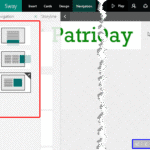
Navigation in Microsoft Sway March 30th, 2016
Navigation in Microsoft Sway


Tim Stumbles March 30th, 2016
Office Timeline’s Integration with Wrike: Conversation with Tim Stumbles


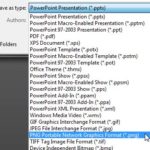
Exporting PNGs and other Graphic File Formats (JPG, TIFF, WMF, EMF) in PowerPoint 2010 March 29th, 2016
Exporting PNGs and other Graphic File Formats (JPG, TIFF, WMF, EMF) in PowerPoint 2010 for Windows


Add and Rename Slide Masters in PowerPoint 2016 for Windows March 29th, 2016
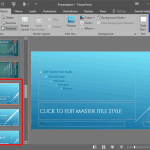
Add and Rename Slide Masters in PowerPoint 2016 for Windows


PowerPoint and Presenting News: March 29, 2016 March 29th, 2016
PowerPoint and Presenting News: March 29, 2016


Add Your Logo or Graphic to the Slide Master in PowerPoint 2016 for Windows March 28th, 2016
Add Your Logo or Graphic to the Slide Master in PowerPoint 2016 for Windows


PowerPoint and Presenting News: March 29, 2016 March 25th, 2016
Op-Art Heart Shapes for PowerPoint


Create Custom Shaped Picture Placeholders in PowerPoint 2016 for Windows March 25th, 2016
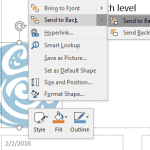
Create Custom Shaped Picture Placeholders in PowerPoint 2016 for Windows


Public speaking needs practice March 23rd, 2016
Indezine Questions 01: Conversation with TJ Walker


Formatting Picture Placeholders in PowerPoint 2016 for Windows March 23rd, 2016
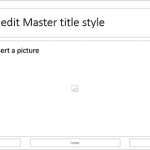
Formatting Picture Placeholders in PowerPoint 2016 for Windows


PowerPoint and Presenting News: March 22, 2016 March 22nd, 2016
PowerPoint and Presenting News: March 22, 2016


Widescreen Defaults in PowerPoint 2016 for Windows March 22nd, 2016
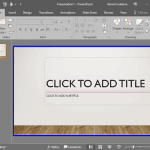
Widescreen Defaults in PowerPoint 2016 for Windows


Remix in Microsoft Sway March 21st, 2016
Remix in Microsoft Sway


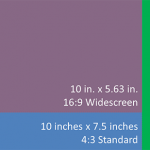
Widescreen Implementations in PowerPoint March 21st, 2016
Widescreen Implementations in PowerPoint


Pixel-Art Heart Shapes for PowerPoint March 18th, 2016
Pixel-Art Heart Shapes for PowerPoint


Jamie Garroch March 18th, 2016
SwiftPrez / PresentAssist: Conversation with Jamie Garroch


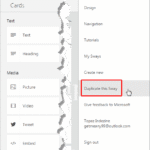
Duplicating a Presentation in Microsoft Sway March 18th, 2016
Duplicating a Presentation in Microsoft Sway


Ben Ravilious March 17th, 2016
ParticiPoll: Conversation with Ben Ravilious


Link to Word Bookmarks from PowerPoint 2013 for Windows March 17th, 2016
Link to Word Bookmarks from PowerPoint 2013 for Windows


Presentation Font Embedder March 16th, 2016
Presentation Font Embedder: Conversation with Ari Leviatan


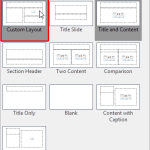
Inserting New Placeholders Within Slide Layouts in PowerPoint 2016 for Windows March 16th, 2016
Inserting New Placeholders Within Slide Layouts in PowerPoint 2016 for Windows


PowerPoint and Presenting News: March 15, 2016 March 15th, 2016
PowerPoint and Presenting News: March 15, 2016


Eagle PowerPoint Silhouettes March 15th, 2016
Eagle PowerPoint Silhouettes


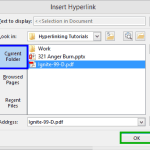
Linking to Any File in PowerPoint 2013 for Windows March 15th, 2016
Linking to Any File in PowerPoint 2013 for Windows


Popular Posts

Ampler Kristian Johansen Ampler: Conversation with Kristian Johansen

Kristian Johansen is CEO and founder of Ampler, an integrated productivity platform for Microsoft Office. Ampler enables users to work faster, easier, and more efficiently in PowerPoint, Word, and Excel, and includes a series of tools that can be integrated into existing Office installations. Kristian has a background as a management consultant from Bain & ...


Pecha Kucha Tips 10 Tips for Pecha Kucha

A few days ago, our PowerPoint and Presenting Stuff LinkedIn group had a great discussion on Pecha Kucha. It started with one of our members asking for some guidance on how to go about preparing for a Pecha Kucha presentation. To those of you who do not know what Pecha Kucha is, it is a ...


Clear Slides - Ramgopal M. S. Clear Slides: Conversation with Ramgopal M. S.

Explore insights from author Ramgopal M. S.’s new book, Clear Slides, on simplifying complex ideas through clear, effective presentations.


Page 1 … Page 84 Page 85 Page 86 Page 87 Page 88 … Page 247


Microsoft and the Office logo are trademarks or registered trademarks of Microsoft Corporation in the United States and/or other countries.

Plagiarism will be detected by Copyscape

© 2000-2026, Geetesh Bajaj - All rights reserved.

since November 02, 2000