PowerPoint 2013 Articles - Page 10 of 25


Learn PowerPoint 2013 for Windows: Create Jigsaw Shapes Learn PowerPoint 2013 for Windows: Create Jigsaw Shapes
January 17th, 2014


Learn PowerPoint 2013 for Windows: Create Photo Album
November 11th, 2014


Learn PowerPoint 2013 for Windows: Create Your Own Picture Bullets
January 19th, 2015


Learn PowerPoint 2013 for Windows: Creating Anchor Points for Connectors
May 12th, 2014


Learn PowerPoint 2013 for Windows: Creating and Editing AutoCorrect Entries
May 6th, 2015


Learn PowerPoint 2013 for Windows: Creating and Editing Custom Dictionaries
May 11th, 2015


Learn PowerPoint 2013 for Windows: Creating Charts Using Excel Data
September 1st, 2014


Learn PowerPoint 2013 for Windows: Creating Curved Shapes
May 27th, 2014


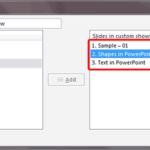
Learn PowerPoint 2013 for Windows: Creating Custom Slide Shows Learn PowerPoint 2013 for Windows: Creating Custom Slide Shows
August 26th, 2014


Learn PowerPoint 2013 for Windows: Creating Half Circle Learn PowerPoint 2013 for Windows: Creating Half Circle
February 10th, 2014


Learn PowerPoint 2013 for Windows: Crop Pictures (Crop to Shape)
October 24th, 2014


Learn PowerPoint 2013 for Windows: Crop Video Learn PowerPoint 2013 for Windows: Crop Video
September 17th, 2014


Learn PowerPoint 2013 for Windows: Crossed Axes for Charts Learn PowerPoint 2013 for Windows: Crossed Axes for Charts
December 3rd, 2014


Learn PowerPoint 2013 for Windows: Curved and Straight Line Segments Learn PowerPoint 2013 for Windows: Curved and Straight Line Segments
April 11th, 2014


Learn PowerPoint 2013 for Windows: Custom Backgrounds for Slide Master and Layouts
May 27th, 2015


Learn PowerPoint 2013 for Windows: Customize Quick Access Toolbar
January 21st, 2013


Learn PowerPoint 2013 for Windows: Customize the Bullet Size and Color
January 9th, 2015


Learn PowerPoint 2013 for Windows: Default Behaviors for Action Buttons
February 24th, 2014


Learn PowerPoint 2013 for Windows: Delete Shapes from an Existing SmartArt Graphic
August 25th, 2014


Learn PowerPoint 2013 for Windows: Detach, Re-attach, and Delete Connectors
May 6th, 2014


Learn PowerPoint 2013 for Windows: Determine if SP1 is Installed Learn PowerPoint 2013 for Windows: Determine if SP1 is Installed
April 4th, 2014


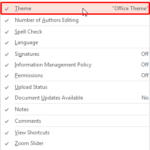
Learn PowerPoint 2013 for Windows: Display Theme Name in Status Bar Learn PowerPoint 2013 for Windows: Display Theme Name in Status Bar
April 8th, 2014


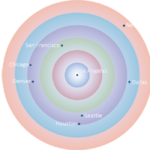
PowerPoint and Presenting News: December 8, 2015 Learn PowerPoint 2013 for Windows: Distance Cartograms – Part 1
March 12th, 2014


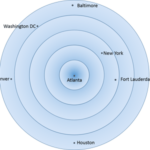
Learn PowerPoint 2013 for Windows: Distance Cartograms – Part 2 Learn PowerPoint 2013 for Windows: Distance Cartograms – Part 2
March 14th, 2014


Learn PowerPoint 2013 for Windows: Distribute Rows and Columns Learn PowerPoint 2013 for Windows: Distribute Rows and Columns
March 26th, 2014


Page 1 Page 8 Page 9 Page 10 Page 11 Page 12 Page 25


Microsoft and the Office logo are trademarks or registered trademarks of Microsoft Corporation in the United States and/or other countries.
Plagiarism will be detected by Copyscape

© 2000-2026, Geetesh Bajaj - All rights reserved.

since November 02, 2000