
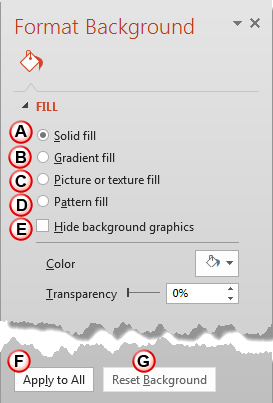
Content and appearance are the two major components of presentation slides. Among them, the former is always more significant than the latter — but that does not mean that you should neglect the latter. A simple looking presentation with a clean background is always a great idea since that doesn’t overpower your message. Yet, there are plenty of opportunities to go beyond a plain background and use a less restrained background instead — your choice for a slide background should complement the content of your presentation. For example, you’ll want a flashier background for slides created for kindergarten students — or if you were creating a PowerPoint greeting card. On the other hand, you may want a washed out, faded, or even a subtle patterned picture for a typical business presentation.
Related Posts
 When you insert Slide Numbers on your slides, you may discover that the location of the Slide Number changes depending upon the active Theme of your s...
 Adding a new Slide Master to your presentation is easy -- and an even easier way is to possibly duplicate an existing Slide Master. You can then forma...
 Duplicating a Slide Master is a little different than adding a new Slide Master from scratch. And it's a smart option because you don't have to make t...
 In your presentation, a Slide Master is the element that influences everything -- be it the slide background or the fonts used for text. Despite havin...